

Choosing the wrong storage type at signup is one of the most expensive mistakes a dedicated server buyer can make. Unlike RAM or CPU, storage directly determines whether your production workload responds in milliseconds or seconds — and mid-contract hardware upgrades rarely come without downtime, migration costs, and renegotiated terms.
Understanding the real performance and cost trade-offs between NVMe, SSD, and HDD before you sign is not optional; it is the difference between a server that scales with your workload and one that bottlenecks it. The three drive types occupy fundamentally different positions in the performance and cost spectrum.
NVMe drives deliver the highest sequential and random I/O throughput by communicating directly over the PCIe bus, making them the natural fit for latency-sensitive workloads such as high-traffic databases, real-time financial applications, and AI inference pipelines.
SATA SSDs offer a reliable middle ground — faster than spinning disks and more cost-efficient than NVMe — while HDDs remain a cost-effective option for large-volume archival storage where capacity per dollar matters more than access speed. Object storage, tape, and high-capacity SSDs may be preferable depending on retention periods, retrieval frequency, durability requirements, and recovery objectives. Modern dedicated server configurations increasingly feature NVMe as the default, though budget-tier offerings may still ship with older-generation SATA or spinning drives.
What Is Dedicated Server Hosting — and Why Storage Is the Decision That Matters Most
Dedicated server hosting assigns one physical machine to one customer, removing unrelated provider tenants from the local host. Storage performance can still vary because of internal workloads, controllers, RAID configuration, firmware, caching, drive condition, filesystems, and network dependencies. Changing physical storage may require a maintenance window, data migration, reprovisioning, or an additional fee, depending on the chassis and provider. Confirm upgrade procedures, available drive bays, migration assistance, expected downtime, and pricing before purchase.
Storage architecture is where that constraint matters most. CPU clock speed and RAM capacity are straightforward to evaluate, but drive type governs something more fundamental — the latency and throughput your application experiences on every read and write operation, continuously, under production load. A database engine running on a spinning HDD will saturate its I/O queue under concurrent query pressure regardless of how many cores sit above it.
A static file archive served from NVMe drives wastes the cost premium of that technology on workloads that would perform identically at a fraction of the spend. The mismatch in either direction is expensive, and it is not correctable mid-contract without friction.
Selecting the correct drive type before you sign is therefore a prerequisite for production viability, not a configuration detail you can revisit later. The sections that follow map each drive technology — NVMe, SATA SSD, and HDD — to the workloads where it earns its cost, so you can make that decision once and make it correctly.

Raw specs rarely tell the full story: latency, throughput, and endurance behave very differently under real server load.
NVMe, SSD, and HDD Explained — What Each Drive Type Actually Delivers
The architectural difference between these three drive types is not a matter of marketing tiers — it is a matter of where the bottleneck physically lives. NVMe connects directly over PCIe lanes, bypassing the SATA controller entirely, which means the queue depth your application can sustain before I/O requests start serializing is orders of magnitude higher than what either SATA SSD or HDD can support. That distinction is invisible at low concurrency and catastrophic at high concurrency.
SATA SSD complicates the binary choice in a useful way: it shares NVMe’s flash memory substrate but use the SATA/AHCI interface, whose queue depth and protocol were designed before modern NVMe storage. They still provide low flash-media latency but offer less parallelism and throughput than typical NVMe devices. HDD adds mechanical seek latency on top of that interface constraint — a compounding disadvantage that no tuning or caching layer fully eliminates once random-access concurrency climbs past modest thresholds.
The architectural gap matters most when your workload is random and concurrent. Relational database queries, real-time log ingestion, and transactional applications hammer random IOPS continuously; on those workloads, the difference between NVMe and HDD is not marginal — it is the difference between acceptable query latency and a bottleneck that no amount of RAM or CPU can compensate for.
SATA SSD occupies the middle position: faster than spinning disk for mixed workloads, but constrained enough that high-throughput databases will exhaust its ceiling.
Sequential throughput is where HDDs remain defensible. Large linear reads and writes — video archive retrieval, bulk backup, cold log storage — are far less sensitive to seek time, which is why cost-per-gigabyte still justifies spinning disk for archival tiers. Endurance follows the same split: SSDs and NVMe drives carry rated TBW limits; HDDs carry mechanical failure risk instead.
How Do You Match a Storage Type to a Production Workload?
Your storage decision starts with a single diagnostic: does your workload generate random or sequential I/O, and at what concurrency level? Random, high-concurrency access — a PostgreSQL instance handling hundreds of simultaneous connections, for example — maps directly to NVMe. The PCIe-native path processes parallel I/O queues without the serialization overhead that SATA imposes.
A SATA SSD handles the same database adequately at low concurrency, but as queue depth rises, interface latency compounds. The practical crossover point is sustained random I/O under real production load, not light-traffic scenarios where both flash types perform comparably.
Sequential workloads shift the calculus. Video transcoding reads and writes large files in order, which reduces NVMe’s random-access advantage significantly. A high-capacity SATA SSD or a fast HDD RAID array can deliver acceptable throughput at a lower cost per terabyte for that pattern.
Archival storage — compliance logs, cold backups, media asset libraries — involves infrequent access and large sequential reads, which remains the one scenario where HDD is cost-justified on a per-gigabyte basis.
Finally, size for your peak concurrency window, not your baseline. A SaaS platform processing end-of-month billing runs or a gaming server spiking at event launch will stress I/O in short, intense bursts. If your peak profile resembles a database under sustained load, that is the workload your storage tier must support — because peak I/O is when the bottleneck becomes visible to the end user.
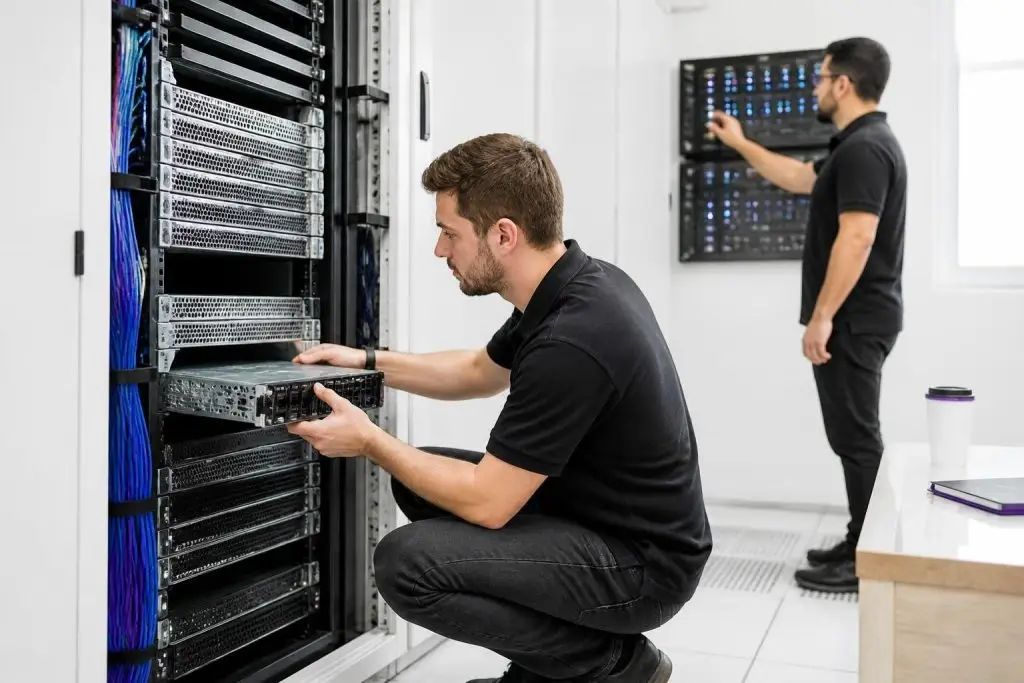
Real workloads expose storage limits fast — what handles databases smoothly may cripple a transcoding or archival pipeline.
Database I/O, Video Transcoding, and Archival Storage — Three Scenarios That Reveal the Trade-offs
The relevant question is not which drive type wins a sequential benchmark, but at what point your workload hits a hard ceiling — and how violently throughput collapses when it does. A transactional database under sustained concurrency does not degrade gracefully; once the I/O queue saturates, latency compounds faster than any upstream resource can absorb it, and recovery headroom shrinks at exactly the moment the cost of stalling is highest.
That reframing turns drive selection into a constraint-matching exercise rather than a speed ranking. Overprovisioning NVMe on a cold archival tier wastes budget on sub-millisecond latency the workload will never consume; underprovisioning on spinning disk for a payment-processing database introduces queuing delays that additional CPU or memory cannot fix. Each scenario below identifies the specific binding constraint — queue depth, sustained write bandwidth, or cost-per-terabyte tolerance — that determines whether a drive choice is correct for the workload, not merely fast in a vacuum.
The gap between NVMe and SATA flash is not academic at this concurrency level; it is the difference between a query completing within an acceptable response window and one that queues behind prior requests. At high concurrency, NVMe may materially reduce storage latency and queueing compared with SATA SSDs. Whether it is required depends on measured IOPS, throughput, latency percentiles, queue depth, endurance, cache behavior, and the application’s response-time target.
Hivelocity markets a 100% uptime SLA and instant bare-metal deployment in its public materials, and positions its hardware for performance-sensitive single-tenant workloads where this kind of I/O consistency matters.
Video transcoding presents a different profile. Encoding pipelines read large sequential source files, apply compute-intensive transformations, and write large sequential output files. The random-access advantage that justifies NVMe for databases shrinks considerably here, because sequential throughput — not queue-depth latency — governs pipeline speed.
A high-capacity SATA SSD delivers competitive sequential performance at a lower cost per terabyte, making it the more economical choice for dedicated transcoding nodes where storage volume matters as much as raw speed.
Archival storage — compliance logs, cold backups, media asset libraries — is the one production scenario where HDD remains defensible. Access frequency is low, object sizes are large, and sequential read performance is adequate for retrieval. The decisive factor is cost per terabyte: HDD provides meaningfully more raw capacity at a lower price point than either flash type, which matters when retention policies require holding months or years of data on-server.
A split-tier configuration — NVMe for active database volumes paired with a larger HDD array for cold storage — addresses all three scenarios on a single machine without overspending on flash capacity that archival data does not require.
What Does Bare Metal Server Mean for Storage Performance — and How Does It Differ from VPS?
A VPS storage volume may use shared or networked infrastructure, although the implementation varies by provider and product. Review whether performance is guaranteed or best effort, whether IOPS and throughput limits apply, and whether the storage path is local, network-attached, shared, or dedicated. Virtual storage can introduce additional scheduling, throttling, and abstraction, but its architecture varies by provider and service. Dedicated local drives remove unrelated customer I/O from the physical device, while the operating system, filesystem, RAID layer, controller, and application still queue and schedule requests.
This architectural difference amplifies drive-type trade-offs in a way that virtualized environments actively obscure. On a VPS, the hypervisor’s I/O abstraction frequently becomes the binding constraint before the drive does — which makes the performance gap between NVMe and SATA SSD appear narrower than it actually is, because neither drive is ever fully utilized. Remove that ceiling, and the drive’s native capabilities become directly visible to the application.
NVMe saturates its PCIe lanes without contention; an HDD under the same conditions exposes its rotational latency at full queue depth with nothing to mask it.
The practical consequence is straightforward: drive selection carries more weight on bare metal than on any virtualized tier, because the hardware delivers precisely what the specification promises. The storage tier you configure at provisioning is the performance ceiling you will operate under for the duration of the contract — which is why the drive-type decision belongs before you sign, not after your first production bottleneck.

Mixing drive types strategically often outperforms any single storage solution for demanding, mixed-use production environments.
RAID, Hybrid Configurations, and NVMe Caching — When One Drive Type Is Not Enough
A single drive type rarely satisfies every layer of a production workload simultaneously, which is why the most practical dedicated server configurations combine drive types rather than standardize on one.
The most effective hybrid architecture pairs a small NVMe volume for active datasets and write-intensive operations with a larger HDD array for bulk or archival data — delivering flash-class latency where the application demands it and cost-efficient capacity where sequential throughput is sufficient.
RAID level selection sits underneath this decision and directly affects both usable capacity and fault tolerance. RAID 1 mirrors two drives for redundancy at the cost of half the raw capacity — appropriate for a boot volume or critical database where drive failure cannot be tolerated even briefly. RAID 10 stripes across mirrored pairs, offering both redundancy and improved read throughput, making it a common choice for transactional database volumes that need both protection and performance.
RAID 5 and RAID 6 distribute parity across three or more drives, recovering usable capacity at the expense of write performance — a reasonable fit for large HDD arrays holding cold data. RAID 5 and RAID 6 improve usable capacity but add parity writes, rebuild complexity, and additional failure exposure during degraded operation. Benchmark the exact software or hardware RAID implementation before using parity RAID for latency-sensitive write workloads. According to Hostwinds documentation, customers can configure RAID settings during the buying process, which means these architectural choices can be specified at provisioning rather than retrofitted after deployment.
NVMe caching — placing a smaller NVMe drive in front of a SATA SSD or HDD array to absorb hot writes and serve frequent reads — adds a third layer of flexibility for workloads with a hot-cold data split, such as a media platform caching recently uploaded assets while keeping the full library on HDD.
The configuration decision belongs at the quoting stage: providers that expose RAID and storage-tier options before contract signing — rather than treating them as post-provisioning upgrades — give buyers the clearest path to a right-sized architecture without mid-contract renegotiation.
How Do Storage Specifications in Dedicated Server Contracts Translate to Real Costs?
The advertised storage figure is raw capacity — not what your workload will actually use. RAID overhead reduces it immediately: a two-drive RAID 1 mirror halves usable space, and a three-drive RAID 5 array surrenders one drive’s worth to parity. A plan listing 2 TB of NVMe in RAID 1 delivers 1 TB of protected, usable storage. Size your requirement against the post-RAID figure, not the headline number, or you will discover the shortfall before your first renewal.
The gap widens further once the operating system, swap partition, and any bundled control panel software claim their share of the boot volume. This overhead is real regardless of whether the control panel license appears as a line item or is absorbed into the plan price. Right-sizing at signup is the lower-risk path because mid-contract capacity upgrades typically carry both a hardware fee and a service window that interrupts production traffic.
Bandwidth policy introduces a second cost dimension that storage-intensive workloads expose quickly. Monthly transfer caps with overage charges become significant triggers for video delivery pipelines and large database backup jobs. Some providers include unmetered bandwidth with dedicated plans, which removes that variable from your total cost of ownership.
Reviewing the overage structure and the hardware upgrade path in the contract before you sign is the most direct way to prevent the actual cost from diverging from the quoted figure once the workload reaches production scale.

An NVMe label alone does not establish application performance. Confirm the exact drive model, endurance, RAID design, replacement policy, and benchmark results; require contractual performance floors only when the workload’s SLA makes them necessary.
Eight Storage Evaluation Criteria to Verify Before You Sign a Dedicated Server Agreement
Before signing a dedicated server agreement, confirm eight storage criteria directly with the provider.
- Confirm whether the provider commits to a minimum sustained IOPS figure in the contract, not just lists NVMe on the spec sheet
- Verify the drive redundancy model — understand which RAID level is configured and what the failover behavior is when a drive fails
- Ask explicitly whether mid-contract storage upgrades are possible, what the service window looks like, and whether additional hardware fees apply
- Confirm that backup storage is physically separate from your primary volume, not a partition on the same drives
- Review the SLA for specific disk failure response language — mean time to replacement, not just generic uptime guarantees
- Calculate usable capacity after RAID overhead before signing, using the post-RAID figure rather than the advertised raw capacity
- Clarify whether OS, swap partition, and control panel software consume space from the same volume listed in the plan
- Ask whether IOPS guarantees are shared across tenants on the same physical backplane or dedicated exclusively to your drives
IOPS guarantees are the first checkpoint. A provider listing NVMe storage on a spec sheet is not the same as a provider committing to a minimum sustained IOPS figure in the contract. For database-heavy workloads and real-time transaction processing, the difference between a soft marketing claim and a contractual floor determines whether the workload performs predictably under load or degrades silently during peak periods.
Ask explicitly whether IOPS are guaranteed or indicative, and whether the drives are dedicated to your machine or shared at the storage layer.
Drive redundancy is the second criterion, and it connects directly to SLA language around disk failure response. A provider should specify not only whether RAID is configured, but also the target replacement window when a drive in the array fails. Some providers confirm 24/7 hardware replacement commitments; others leave disk failure response to standard business-hours support.
For production environments where a degraded RAID array represents elevated data-loss risk, the response window matters as much as the redundancy model itself.
The remaining three criteria — mid-contract upgrade flexibility, backup storage separation from primary volumes, and the true usable capacity after RAID overhead — each carry cost implications that compound over a multi-year contract. Providers such as Hostwinds expose storage configuration options, including RAID settings, before contract signing, which is the architecture decision point where these criteria are cheapest to resolve.
Confirming backup isolation — whether backup jobs write to a physically separate volume or compete with primary I/O on the same drives — prevents a common performance bottleneck that only becomes visible once production traffic is running.
Dedicated Server Storage: NVMe vs SSD vs HDD Trade-offs
| Criterion | NVMe | SSD | HDD |
|---|---|---|---|
| Data Path & Interface | Direct PCIe bus connection to CPU | SATA interface, flash memory, legacy bus ceiling | SATA interface, mechanical read/write head |
| Random I/O Performance | Hundreds of thousands of random read IOPS | Faster than HDD, ceiling reached under high-throughput load | Severely limited by mechanical seek time under concurrent access |
| Latency Profile | Sub-millisecond latency under production load | Higher latency floor than NVMe, lower than spinning disk | Orders of magnitude slower than flash under random workloads |
| Best-Fit Workload | High-traffic databases, real-time finance, AI inference pipelines | Mixed workloads needing speed without NVMe cost premium | Large-volume archival storage where capacity per dollar dominates |
| Capacity per Dollar | Lowest capacity per dollar among the three types | Mid-range; more cost-efficient than NVMe | Highest raw capacity per dollar available |
| Workload Mismatch Risk | Wastes cost premium on archival or static-file workloads | High-throughput databases can exhaust its throughput ceiling | I/O queue saturates under concurrent query pressure regardless of CPU |
Conclusion – Choose Your Storage Type Before the Contract, Not After
Storage selection is one of the few dedicated server decisions that cannot be corrected cheaply once a contract is signed. The core principle is straightforward: match the drive type to the workload’s I/O profile before provisioning, not after a mid-contract upgrade forces a service window and an unplanned hardware fee.
NVMe belongs at the primary layer for latency-sensitive databases and real-time transaction processing; SATA SSD covers mixed-use application tiers where sustained throughput matters more than peak latency; and HDD remains the rational choice where raw capacity and sequential read performance outweigh random I/O speed.
Confirming IOPS guarantees, RAID configuration, and backup isolation in the contract language — rather than accepting a marketing spec sheet — is what separates a right-sized deployment from an expensive correction six months into production.
If your workload requirements sit at the boundary between storage tiers, or if you are still mapping hardware specifications to projected growth, a structured comparison of available dedicated server configurations can sharpen that decision considerably.