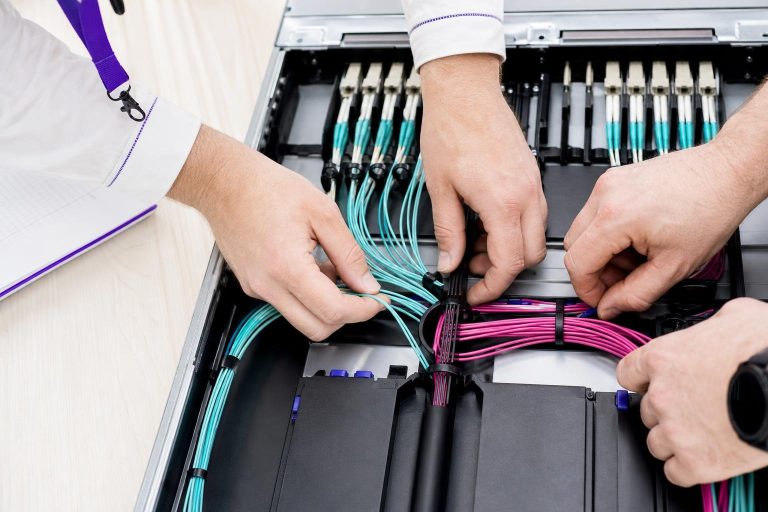

A GPU dedicated server is not simply a regular server with a graphics card added as an afterthought. It is a specialized infrastructure decision that determines whether a demanding workload — AI model inference, video transcoding, scientific simulation, or large-scale rendering — runs efficiently or burns through budget on idle capacity. The core mistake most buyers make is treating GPU selection as a spec race rather than a workload-matching exercise.
Choosing the most powerful GPU available rarely translates into proportional performance gains if the rest of the configuration, the memory bandwidth, the storage throughput, or the network uplink, cannot keep pace. This article addresses what you need to understand before committing to a GPU dedicated server.
It covers how these machines differ from standard bare-metal configurations, which workload characteristics actually justify the investment, and what their real requirements are. You will also find a clear account of the management and support considerations that separate a smooth deployment from a costly operational burden — because raw GPU compute is only as valuable as the environment surrounding it.
The goal here is not to rank hardware or name a single preferred provider.
What Is a GPU Dedicated Server — and How Does It Differ from a Standard Bare Metal Server?
A GPU dedicated server is a physical machine allocated exclusively to a single tenant, combining high-core-count processors with one or more discrete GPU accelerators. Unlike a standard bare-metal server — which relies entirely on the CPU for computation — a GPU-accelerated configuration offloads parallelizable tasks to the GPU, where thousands of smaller processing cores handle operations simultaneously.
That architectural difference is what makes GPU dedicated servers the appropriate tier for workloads such as AI model training, real-time inference, large-scale video transcoding, and scientific simulation.
The term "bare metal" simply means there is no hypervisor layer between your workload and the physical hardware. Every CPU cycle, every gigabyte of RAM, and every GPU core belongs to you alone. On a standard bare-metal server, that exclusivity applies to CPU and memory. On a GPU dedicated server, it extends to the accelerator itself — meaning no other tenant's inference job or rendering pipeline competes for the same GPU memory bandwidth.
Modern configurations in this category typically pair server-grade processors such as AMD EPYC or Intel Xeon with NVMe SSD storage and high-bandwidth network uplinks, ensuring the GPU is not bottlenecked by slow data delivery from disk or a congested port.
Where buyers frequently misjudge the distinction is in assuming that adding a GPU to any server specification produces a GPU dedicated server. The GPU must be matched to the surrounding architecture. If the memory bandwidth between the CPU and GPU is insufficient, or if the storage tier cannot feed data fast enough, the accelerator sits idle during critical pipeline stages.
That mismatch is precisely the kind of workload-to-hardware misalignment that inflates monthly costs without delivering proportional performance. A structured provider comparison can surface which configurations are genuinely balanced — and which pad a spec sheet with a GPU while leaving the rest of the stack underpowered.

Parallel, data-intensive workloads such as large-scale model training and real-time inference are the clearest candidates for dedicated GPU hardware, while sequential or lightly threaded tasks rarely justify the investment.
Which Workloads Actually Justify GPU Dedicated Hardware?
GPU dedicated hardware is justified when a workload is both parallelizable and data-intensive enough to saturate the accelerator’s processing cores. Not every compute-heavy task meets that threshold. A workload that processes data sequentially, or one that spends most of its time waiting on network I/O or database queries, will extract little additional value from a GPU — and the premium you pay for the accelerator becomes waste.
AI model training is the clearest fit. Training a large neural network requires millions of matrix multiplications performed simultaneously across enormous datasets. A GPU's parallel core architecture handles this natively, reducing training runs from days to hours. Real-time inference — serving a trained model to end users at low latency — also benefits, particularly when request volumes are high enough to batch multiple queries into a single GPU pass.
Where inference workloads are small or infrequent, a well-specified CPU-only bare-metal server often delivers better cost efficiency.
Video transcoding is another strong match, provided the volume justifies dedicated capacity. Encoding a single stream is manageable on a CPU, but transcoding hundreds of concurrent streams — as a media platform or broadcast service would require — maps directly onto GPU parallelism.
Scientific simulation, fluid dynamics modeling, and large-scale rendering share the same profile: massive parallelism, large floating-point datasets, and sustained throughput demands that keep the accelerator busy across the full billing cycle.
The workloads that do not justify GPU dedicated hardware are equally instructive. Standard web application serving, relational database queries, and most content management workloads are largely single-threaded or I/O-bound. Adding a GPU to those environments produces no measurable gain.
A structured provider comparison — covering hardware tiers, management levels, and workload-matched configurations — can help you confirm which tier aligns with your actual compute pattern before you commit to a contract.
How GPU Architecture Choices Shape Real-World Performance
Spec sheets expose a provider’s best numbers, not their worst constraints. The more revealing exercise is stress-testing the memory subsystem: VRAM capacity sets a hard ceiling on what your workload can hold in the accelerator’s fast memory at any one time, and when that ceiling is breached the pipeline must page data between GPU memory and system RAM — a transfer path orders of magnitude slower that can stall the accelerator entirely.
VRAM, bandwidth, and interconnect speed must all be evaluated together — peak FLOP count masks each of them.
Understanding these three variables together, rather than treating peak FLOP count as a proxy for all of them, is what separates a well-matched server from an expensive underperformer.
Memory bandwidth compounds this effect: even with adequate VRAM, a low-bandwidth memory bus creates a data-feed bottleneck that leaves processing cores idle while they wait.
Interconnect topology matters most when a workload spans multiple GPUs. Some configurations link cards through a high-speed direct interconnect that allows peer-to-peer memory transfers without routing through the CPU. Others rely on the standard PCIe bus, which carries a meaningful bandwidth penalty for multi-GPU communication. For single-GPU inference tasks, PCIe is rarely a constraint.
For distributed training across four or more accelerators, the difference in interconnect architecture can determine whether scaling delivers proportional gains or diminishing returns.
Software compatibility deserves equal attention. A pipeline built on one GPU programming framework will not run natively on hardware optimized for a competing framework without significant re-engineering. Confirming that your existing codebase aligns with the driver stack and compute libraries your provider supports is a prerequisite — not an afterthought.

Beyond the advertised lease rate, production GPU deployments routinely accumulate additional charges for software licensing, remote access tools, and bandwidth that can significantly widen the gap between quoted and actual monthly spend.
What Hidden Costs Inflate the Real Price of a GPU Dedicated Server?
The advertised monthly rate for a GPU dedicated server rarely reflects what you will actually pay once the contract is active. Promotional pricing covers the hardware lease — it seldom includes the software, access tools, and network services that a production environment requires from day one.
Control panel licensing is one of the first additions that surprises buyers. A web-based management interface is not always bundled; some providers charge a separate monthly fee that scales with the number of managed instances. Remote access licensing follows a similar pattern: out-of-band access through a dedicated management interface is essential for rebooting or reinstalling a server without a physical technician, yet some plans treat it as a billable add-on rather than a standard inclusion.
Operating system licensing adds another layer. A Linux distribution is typically included at no extra cost, but workloads that require a Windows Server environment carry a recurring OS fee that can add meaningfully to the monthly total. GPU-specific driver support and compute library compatibility may also fall under a managed-services tier rather than the base plan.
Bandwidth billing structure deserves careful scrutiny before signing. Unmetered ports sound straightforward, but fair-use clauses in the contract can trigger throttling or overage charges once sustained throughput exceeds an unstated threshold. Metered plans expose you to spike risk: a single traffic event during a model-serving peak or a video encoding burst can generate an invoice line that dwarfs the server fee itself.
Renewal-rate divergence is the final trap. Introductory pricing is common across the market, and the gap between the promotional rate and the standard renewal rate can be substantial. Reading the renewal terms before committing — not after the first billing cycle — is the only way to build an accurate long-term budget.
Managed vs. Unmanaged GPU Servers — Choosing the Right Support Model
The choice between managed and unmanaged GPU dedicated hosting is fundamentally a staffing decision, not a hardware one. An unmanaged plan gives your team complete control over the server environment — but it transfers full operational responsibility alongside that control.
On an unmanaged server, your team owns every layer of the stack: GPU driver installation and updates, CUDA toolkit versioning, OS hardening, kernel patching, and security monitoring. That scenario is not unusual; GPU software stacks involve tightly coupled version dependencies between the driver, the compute framework, and the application layer.
A team without a dedicated infrastructure engineer on call is exposed to significant recovery delays in exactly those moments.
Managed plans shift that operational burden to the provider. Driver updates, OS patches, and basic monitoring are handled as part of the service. The trade-off is a higher monthly rate and, in some cases, reduced flexibility — certain managed environments restrict which kernel versions or custom libraries you can deploy. Teams running standard inference or training pipelines on well-supported frameworks typically find that restriction acceptable.
Teams with highly customized environments or proprietary tooling may find it limiting.
A practical way to frame the decision: if your organization would need to hire or contract a sysadmin specifically to run an unmanaged GPU server, the cost of managed support often compares favorably once that staffing cost is included.
Smaller teams in regulated sectors face an additional consideration — compliance documentation for frameworks such as HIPAA or PCI-DSS frequently requires evidence of consistent patch management, which a managed provider can supply more readily than a lean engineering team patching ad hoc. Evaluating both models side by side against your actual team capacity is precisely the kind of structured exercise the linked provider comparison is built to support.

Workloads subject to healthcare, financial, or data protection regulations require GPU infrastructure that can demonstrate audit trails, enforce data residency boundaries, and satisfy certification requirements that raw compute benchmarks do not capture.
Compliance and Data Residency — What Regulated Workloads Demand from GPU Infrastructure
Regulated workloads running on GPU infrastructure face a compliance layer that raw compute specifications cannot address. A healthcare AI pipeline processing patient imaging data, a financial risk model ingesting trading records, or a regulated SaaS platform handling payment flows must each satisfy framework-specific requirements — and not every provider can produce the documentation to prove it.
Ask for audit-ready compliance evidence before discussing hardware specs — documentation gaps disqualify a provider entirely.
The first question to ask any prospective provider is not about GPU model or memory bandwidth. It is: which compliance frameworks does your infrastructure formally support, and can you supply audit-ready evidence? HIPAA requires physical and logical isolation of protected health information, a signed Business Associate Agreement, and documented access controls. PCI-DSS mandates network segmentation, encrypted cardholder data environments, and audit log retention.
A provider that cannot supply any of these on request is not a viable option for regulated GPU workloads, regardless of hardware quality.
Data residency is a separate but equally critical dimension. Many regulated sectors require that data remain within specific geographic or jurisdictional boundaries — a requirement that narrows the viable provider pool to those operating certified facilities in the relevant region. This is not a configuration choice you can make after provisioning; it must be confirmed before signing.
Audit-log access deserves equal attention. Compliance frameworks routinely require evidence of who accessed a system, when, and what actions were taken. A managed provider that controls the logging layer but restricts tenant access to those logs creates a documentation gap that an auditor will surface. Confirm log ownership and export rights in writing before committing.
Teams comparing several providers should evaluate the same hardware, network, support, and compliance criteria for every candidate.
How Do You Evaluate a GPU Dedicated Server Provider Beyond the Spec Sheet?
The harder question is whether the provider behind that hardware will keep it available when you need it. That evidence lives in incident history, hardware-swap timelines, and escalation paths — none of which appear in a product listing.
Equally important is IPMI access policy: out-of-band management access allows your team to reboot, reinstall, or diagnose a server without raising a support ticket and waiting for a technician. Some providers restrict or gate IPMI behind a manual request process, which creates friction precisely when you can least afford it. Confirm access terms before signing.
Network topology transparency is a dimension that sales pages rarely address honestly. Ask whether your server connects to a dedicated uplink or shares a network segment with other tenants. Shared uplinks can introduce congestion during peak periods — a form of performance variability that mirrors the noisy-neighbor problem even on nominally exclusive hardware.
Request information about the physical switching layer and whether bandwidth guarantees apply at the port level or only at the aggregate network level.
Provisioning timelines deserve equal scrutiny. GPU hardware is less commodity than standard bare-metal configurations, and lead times for custom or high-density GPU nodes can extend well beyond what a sales page implies. Ask for a realistic delivery window in writing, not a marketing estimate.

Locking into a fixed GPU configuration without modeling future VRAM, throughput, and storage demands leaves teams vulnerable to costly mid-contract migrations as workloads inevitably grow beyond their initial footprint.
Scaling and Migration Risk — Planning for Growth Before You Sign
Signing a GPU dedicated server contract without a forward-looking capacity model is one of the most common and costly mistakes teams make. The workload that fits comfortably within a 24 GB VRAM configuration at launch can outgrow that boundary within months as model sizes increase, concurrent inference requests multiply, or a video pipeline adds resolution tiers.
By the time the constraint becomes visible in production, the options are expensive: a mid-contract hardware upgrade at provider-set pricing, or a full migration to a new server that disrupts live workloads.
Build your capacity estimate from the peak case, not the average. Identify the maximum VRAM your workload will need under peak concurrency, the storage throughput required when ingesting or writing large datasets simultaneously, and the network bandwidth ceiling your traffic pattern could realistically reach. Then add a meaningful buffer — because GPU hardware configurations are less interchangeable than standard compute nodes, and providers may not offer a seamless in-place upgrade path.
Before signing, ask explicitly whether the contract allows a hardware tier change mid-term and what that process costs. Contractual flexibility clauses worth negotiating include upgrade paths, early-termination terms, and committed hardware-swap windows.
Migration risk deserves equal weight in the pre-purchase decision. Egress fees — charges for moving data out of a provider's network — can turn a straightforward provider switch into an unexpectedly large invoice. Data volumes that seemed manageable at signup can accumulate to terabytes within a year of active workloads, and not every provider discloses egress pricing prominently.
Teams who want a detailed account of what large-scale migrations actually involve should plan for egress costs, IP portability constraints, and data-transfer windows as explicit line items in any pre-purchase evaluation — not assumptions to revisit after signing.
Conclusion – Match the Workload Before You Commit
A GPU dedicated server purchase is ultimately a workload-matching exercise. The GPU generation, VRAM capacity, storage throughput, and network configuration only deliver value when they align with what your specific pipeline actually demands at peak load — not with what a spec sheet implies under ideal conditions.
Discovering a spec mismatch after go-live costs far more than a thorough workload audit before signing.
Teams that anchor their decision to concrete workload requirements, verify management depth before signing, and stress-test contractual flexibility on upgrades and egress avoid the most expensive surprises. Those that buy on headline specs alone tend to discover the gaps only after go-live, when the cost of correcting them is highest.