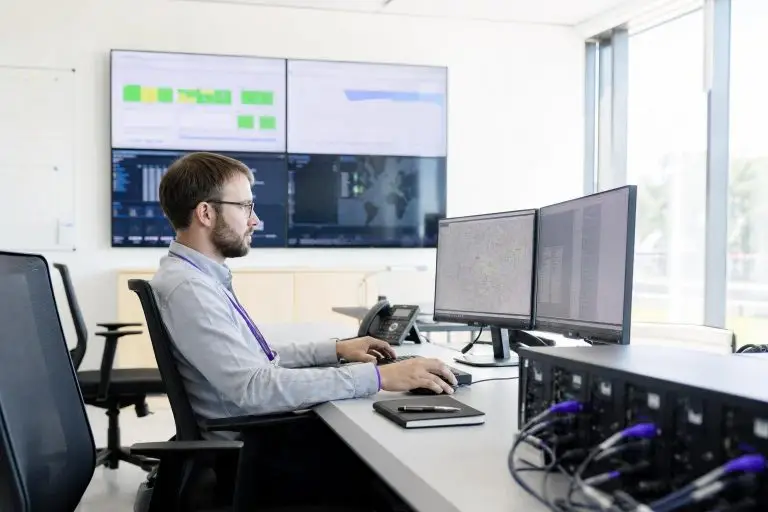

A dedicated server is a physical machine assigned exclusively to a single customer. No other tenant shares its CPU, RAM, storage, or network connection. That single-tenant architecture is the defining characteristic of dedicated hosting, and it separates this tier fundamentally from shared hosting and most virtual private server environments, where hardware resources are divided among multiple accounts.
Understanding why that distinction matters requires a brief look at how shared environments behave under load. When several workloads compete for the same physical resources, any one of them can consume a disproportionate share of CPU cycles or memory — an effect commonly called the noisy neighbor problem. The result is unpredictable response times, throttled throughput, and performance that degrades precisely when traffic spikes demand the most.
A dedicated server eliminates that variable entirely, because the hardware belongs to one workload alone. This article explains what a dedicated server is, how it works at the hardware level, how it compares to virtualized alternatives, and which workloads genuinely benefit from exclusive hardware access. It also covers the key terms — bare metal, management tiers, bandwidth models, storage types — that you will encounter when evaluating plans.
What Is a Dedicated Server and How Does It Differ from Other Hosting Types?
A dedicated server is the physical machine that a single customer rents in full. Every component — the processor cores, the memory, the storage drives, and the network uplink — belongs exclusively to that one account. No other customer’s workload runs on the same hardware, and no software layer divides the machine’s capacity among multiple tenants.
That exclusivity is what separates dedicated hosting from the two tiers most businesses encounter first. With shared hosting, dozens or even hundreds of accounts occupy the same physical server. A provider allocates a slice of resources to each account, but those slices are not hard boundaries. One account's traffic surge can slow response times for every other account on the machine.
A virtual private server improves on that model by using a hypervisor — a software layer that partitions one physical machine into several isolated virtual machines. Each virtual machine receives a defined resource allocation, which reduces the noisy neighbor effect. However, the hypervisor itself consumes CPU cycles and memory to manage those partitions, and the underlying hardware is still shared. Under sustained, high-intensity workloads, that overhead becomes measurable.
A dedicated server removes both constraints. There is no hypervisor layer consuming resources, and there is no competing tenant. The processor runs your workload at full capacity, and storage I/O is not contending with another account's database queries.
For a business running a high-traffic online store during a promotional event, or a SaaS platform processing thousands of concurrent user sessions, that uncontested compute capacity translates directly into consistent response times rather than degraded performance at the worst possible moment.
Security posture also shifts meaningfully. On shared infrastructure, a vulnerability in one tenant's application can, in certain configurations, create exposure for neighboring accounts. Physical isolation does not eliminate all attack surfaces, but it removes an entire category of cross-tenant risk. For organizations operating under compliance frameworks that mandate data environment isolation, this architectural boundary is a prerequisite, not a preference.
Guides covering specific compliance requirements and setup procedures go into further detail for those workloads.

When your account owns every CPU cycle, gigabyte of RAM, and network port on a physical machine, the operational implications reach from how workloads are scheduled all the way to how failures are isolated and resolved.
How a Dedicated Server Actually Works: Hardware, Access, and Control
Once you confirm dedicated hardware fits, How to Host a Dedicated Server – A Step-by-Step Guide walks through provisioning, hardening, and go-live checks.
Every hardware resource on a dedicated server belongs exclusively to one account. What that principle means in practice depends on the specific component — and the operational consequences vary more than the headline claim suggests.
The clearest edge case is CPU scheduling. Modern dedicated configurations commonly use server-grade CPUs — multi-core processors designed for sustained parallel workloads rather than the bursting patterns typical of desktop chips. Because there is no hypervisor redistributing clock cycles between tenants, your processes claim those cores directly and continuously.
That distinction matters most under sustained load: a workload that runs fine on a VPS during off-peak hours may degrade predictably at peak precisely because the scheduling layer has no slack left to absorb.
Storage I/O follows the same logic: read and write operations on NVMe SSD drives or high-RPM disk arrays go straight to your data without queuing behind another account's database transactions. For workloads where storage throughput is a bottleneck — large media libraries, high-frequency database writes, or video transcoding pipelines — that direct access is a meaningful operational difference.
Access and control arrive through root-level credentials issued at provisioning. With root access, you select the operating system, configure the kernel parameters, install software stacks, and set your own security policies. No shared-hosting control panel imposes limits on what can be installed or how services are configured.
Unmanaged plans hand this responsibility entirely to your team; managed plans delegate routine administration — patching, monitoring, and incident response — to the provider's operations staff while preserving your application-layer control.
Network connectivity is provisioned through a dedicated uplink — a port allocated to your server with a defined bandwidth capacity. Providers typically specify this as a port speed combined with either a monthly data transfer allowance or an unmetered throughput model. Understanding that distinction matters at configuration time, because overages on metered plans can significantly affect total monthly cost.
Guides covering bandwidth models and hardware selection criteria explore those trade-offs in depth for teams ready to move from concept to configuration.
Why Does Bare Metal Matter for Performance and Control?
Bare metal refers to a physical server that runs your workload directly on the hardware, with no hypervisor or virtualization layer sitting between the operating system and the machine itself. The term is a deliberate contrast to virtualized environments, where a hypervisor partitions one physical host into multiple virtual machines, each sharing CPU time, memory bandwidth, and storage I/O with neighboring tenants.
Remove that layer and you remove the overhead it introduces — along with the scheduling contention and I/O queuing that accumulate under sustained load. Virtual machines share physical hardware through a hypervisor but normally run separate guest kernels. Containers, by contrast, typically share the host kernel. For a full technical treatment of how this architecture is constructed from first principles, the companion article on bare metal servers covers the underlying mechanics in detail. What follows here is the narrower question of when that architecture actually matters for your workload.
Direct hardware access removes the scheduling layer that quietly erodes throughput as demand climbs.
The practical consequence of direct hardware access is most visible under pressure. On a virtualized host, the hypervisor schedules CPU instructions across competing virtual machines and manages memory allocation dynamically. That scheduling introduces latency that is small under light load but can grow measurably under sustained throughput demands.
On bare metal, your operating system communicates with the processor, RAM, and storage controller without that intermediary — no hypervisor scheduling contention, no memory ballooning, no I/O queue shared with another tenant. A real-time financial application processing thousands of transactions per second experiences this difference as reduced and more consistent response times.
A video transcoding pipeline benefits from predictable frame throughput rather than latency spikes tied to a neighbor's activity.
The distinction also affects security boundaries in a structural way. Hypervisors introduce their own attack surface: vulnerabilities in the virtualization layer can, under specific conditions, allow one tenant's environment to influence another. Bare metal removes that shared software layer entirely, so each server runs a single operating system instance with no neighboring virtual machines to bridge across.
This architectural separation is one reason regulated industries treat bare metal as a distinct compliance consideration rather than simply a faster VPS — The server itself is physically single-tenant, although provider management systems, network infrastructure, and facility access may remain shared dependencies.

Processor architecture, RAM capacity, storage type, and network bandwidth model are the four specifications that ultimately determine whether a dedicated server meets your workload's demands or becomes a costly bottleneck.
Key Hardware Components Every Dedicated Server Buyer Should Understand
Understanding these four specifications matters most when marketing language obscures meaningful differences between configurations.
Core count versus clock speed is the first decision point most buyers get wrong. Workloads that parallelize well — rendering, data ingestion, containerized microservices — benefit from higher core counts even at lower clock speeds, while tasks that cannot be parallelized, such as certain legacy database queries, depend heavily on single-thread performance. Getting this wrong at the contract stage means living with the wrong hardware for the length of your lease.
- Processor core count determines how many tasks run in parallel — more cores matter more than raw clock speed for sustained workloads
- Clock speed governs single-thread performance, which is critical for tasks that cannot be parallelized
- RAM capacity sets the ceiling for concurrent processes; insufficient memory forces disk swapping and degrades performance sharply
- ECC RAM versus standard RAM affects error correction — server-grade ECC memory catches bit-level errors that would silently corrupt data on consumer hardware
- NVMe SSD storage delivers dramatically lower I/O latency than SATA SSD or spinning HDD, which matters most for database-heavy applications
- RAID configuration determines whether drives are optimized for redundancy, speed, or a balance of both
- Network bandwidth model — whether the plan uses metered transfer, unmetered at a capped port speed, or burstable — directly affects your monthly cost under traffic spikes
- Uplink port speed caps total throughput regardless of how much bandwidth is allocated on paper
The processor is usually the most consequential hardware choice. Modern dedicated servers typically use server-grade processors with multiple physical cores — distinct from the virtual cores common in VPS environments. Clock speed determines how fast each core executes instructions, while core count determines how many tasks run simultaneously. A high-frequency processor with fewer cores suits single-threaded workloads such as certain database query patterns.
A processor with many cores at moderate clock speed handles parallel workloads — video encoding, large-scale API serving, or machine learning inference — far more effectively. RAM capacity sets the ceiling for how much data your server holds in fast memory at once; running short forces the system to read from storage instead, which is significantly slower regardless of storage type.
Storage technology separates configurations more sharply than many buyers expect. NVMe drives connect directly to the processor via a high-speed interface, delivering input/output speeds that traditional SATA SSDs and mechanical hard drives cannot approach. Hard disk drives remain relevant for large-volume archival storage where raw speed matters less than cost per gigabyte.
Many configurations combine both: NVMe for the operating system and active data, with higher-capacity drives for backups or cold storage. Choosing the wrong ratio at signup is one of the more common and costly configuration mistakes, since mid-contract storage upgrades carry a price premium.
Bandwidth models deserve equal attention. For media streaming or large file distribution, unmetered models typically produce more predictable monthly costs.
Providers that bundle these hardware and bandwidth decisions into a single transparent configuration — rather than layering on add-ons — make total cost of ownership far easier to project from the start.
Who Actually Needs a Dedicated Server? Matching Workloads to Hardware
Dedicated hosting is the right infrastructure tier when your workload demands consistent, uncontested compute power that shared or virtualized environments cannot reliably deliver. The clearest signal is sustained high traffic or processing load — situations where resource contention from neighboring tenants would directly translate into slower response times or failed transactions.
- High-traffic e-commerce platforms where checkout failures during peak periods have direct revenue consequences
- SaaS products with growing user counts that require predictable throughput for capacity planning
- Applications processing large volumes of data in parallel, where shared CPU contention would introduce unacceptable latency
- Gaming servers requiring consistent low-latency responses that virtualized neighbors could disrupt
- Dedicated hardware may simplify isolation for some regulated workloads, but compliance depends on the complete control environment and does not universally require bare metal
- Media streaming or large-file delivery where sustained high-bandwidth output would be throttled on shared tiers
- Organizations running workloads with licensing models tied to physical CPU sockets rather than virtual cores
High-traffic e-commerce platforms are a textbook case. During peak sales periods, a single physical machine with guaranteed CPU and RAM eliminates the performance variability that can cause checkout failures at the worst possible moment. SaaS platforms face a similar constraint: as user counts grow, the predictable throughput of dedicated hardware makes capacity planning far more straightforward than on a shared tier where available resources fluctuate.
Gaming infrastructure adds a real-time dimension — low-latency, consistent frame delivery depends on direct hardware access, and a dedicated server removes the virtualization overhead that can introduce irregular response times during high-concurrency sessions.
Compute-intensive workloads such as AI inference or sustained encoding need predictable throughput. A machine running video encoding jobs around the clock, for example, needs sustained throughput rather than burst capacity — exactly what bare-metal hardware provides.
Regulated industries represent a distinct driver. A single-tenant server with dedicated network interfaces supports that boundary in a way that multi-tenant infrastructure structurally cannot.

While a VPS and a cloud instance can mimic many surface-level capabilities of a dedicated server, the moment your workload saturates shared physical resources is precisely where the underlying infrastructure model — not the control panel — becomes the deciding factor.
How Is a Dedicated Server Different from a VPS or Cloud Instance?
The more useful question here is where that control stops mattering — and where the underlying infrastructure model becomes the binding constraint instead.
A virtual machine's performance ceiling is set by the hypervisor, not by the physical hardware beneath it.
A VPS shares physical resources through a hypervisor, so even a perfectly tuned guest OS cannot escape contention at the hardware bus level when neighbouring tenants run intensive workloads simultaneously. Some shared cloud instances can experience variable performance, while dedicated-host and performance-isolated instance types reduce that risk. Compare the specific allocation model rather than assuming all cloud instances behave alike.
The performance ceiling is a second meaningful gap. A virtual machine cannot exceed the resource limits set by the hypervisor, regardless of how much physical capacity sits on the host. Bare-metal hardware has no such artificial cap. A workload that needs to saturate all available CPU cores — video transcoding or a large database sort, for example — can do so without negotiating with a virtualization layer.
Isolation and control follow the same logic. On a VPS or cloud instance, the host operating system and hypervisor remain under the provider's control. That level of control is essential for compliance-sensitive environments and for teams that need to tune kernel parameters or install custom drivers.
Managed vs. Unmanaged Dedicated Hosting: What the Distinction Really Means
The choice between managed and unmanaged dedicated hosting determines who is responsible for the operational layer that sits above the hardware. Under an unmanaged plan, the provider handles physical infrastructure — power, cooling, network uplinks, and hardware replacement — but hands you a bare machine from there. OS installation, security patching, firewall configuration, software updates, and performance monitoring all fall to your team.
Under a managed plan, the provider takes on a defined set of those operational tasks on your behalf.
What "managed" actually covers varies by provider, so reading the service scope carefully matters more than the label itself. A baseline managed plan typically includes OS-level patching, automated backups, basic server monitoring with alert thresholds, and a support team that responds to infrastructure incidents. More comprehensive tiers add proactive security hardening, intrusion detection, control panel licensing, and dedicated technical contacts.
The gap between a light managed plan and a fully managed enterprise arrangement can be significant — both in operational coverage and in monthly cost. Teams should map their own capabilities honestly against that scope: if no one on staff can respond to a kernel-level security advisory at two in the morning, an unmanaged plan carries real operational risk.
In-house sysadmin capacity is the honest deciding factor. A DevOps team comfortable with Linux administration, firewall rule management, and log analysis can extract full value from an unmanaged plan and keep costs lower. A growing e-commerce operation or a healthcare platform without dedicated infrastructure staff will typically find that managed hosting pays for itself in avoided incidents and reduced response time.
For teams working through that decision, a structured guide covering day-one configuration choices — from OS selection to access hardening — can clarify exactly which tasks remain yours regardless of the management tier you choose.

Exclusive hardware is a powerful and expensive commitment, and choosing it before your workload genuinely requires it can consume budget and engineering time that would deliver far greater returns on a more appropriately scaled solution.
When a Dedicated Server Is Not the Right Fit
The more nuanced question is how to recognize the specific signals that indicate you have crossed that threshold — or confirmed you have not.
Operational readiness is often the deciding constraint that budget calculations miss entirely. An unmanaged dedicated server requires consistent, skilled administration; teams without a qualified sysadmin on staff — or without a managed plan that closes the gap — face real exposure the moment something fails outside business hours. Even if your traffic volume technically justifies dedicated hardware, that justification collapses if the internal capability to run it safely is not in place.
The same logic applies to development and staging environments: these workloads rarely justify dedicated hardware and are well-served by smaller virtual instances.
Operational readiness is the second filter. An unmanaged dedicated server demands consistent, skilled administration. Teams without a qualified sysadmin on staff — or without a managed plan that covers the gap — face real exposure when a security patch needs emergency deployment or a configuration error takes a service offline at an inconvenient hour. Smaller teams sometimes underestimate how much ongoing work a bare server requires beyond the initial setup.
If your team's time is the constraint, not your compute budget, a managed cloud platform or a lower-tier managed hosting product will likely serve you better until your operational capacity grows.
Workloads that benefit from horizontal elastic scaling — processing jobs that fan out across many small instances rather than running on one large machine — also fit cloud architecture more naturally than dedicated hardware. A single dedicated server, however powerful, cannot redistribute load dynamically the way a cloud orchestration layer can.
Readers who have identified dedicated hosting as the right tier and want to avoid the most common provisioning missteps will find a practical day-one configuration walkthrough linked in the resources section.
Dedicated Server: Hardware, Access, and Control Compared to Shared and VPS
| Criterion | Hardware | Access | Control |
|---|---|---|---|
| Resource ownership | All CPU, RAM, storage, and uplink belong to one customer exclusively. | Customer accesses full physical machine resources without allocation caps. | Operator configures every resource without competing account restrictions. |
| Noisy neighbor risk | No shared physical components; competing workloads structurally impossible. | Single-tenant access eliminates cross-account resource contention entirely. | Administrator controls workload scheduling with no external interference. |
| Hypervisor overhead | No hypervisor layer consumes CPU cycles or memory on bare metal. | Processes reach hardware directly without virtualization translation layer. | Full CPU scheduling available without hypervisor partition management costs. |
| Tenant isolation | Physical separation removes entire category of cross-tenant vulnerability exposure. | No other tenant application can reach same hardware environment. | Security policies apply to a single isolated environment, not shared boundary. |
| Compliance suitability | Physical isolation meets frameworks mandating data environment separation. | Single-tenant architecture satisfies isolation prerequisites for regulated workloads. | Operator enforces compliance controls without shared-infrastructure constraints. |
| Workload consistency | Sustained parallel workloads run at full capacity without performance degradation. | High-traffic events receive uncontested compute rather than throttled throughput. | Administrator allocates all resources to priority workloads without negotiation. |
Conclusion – Do You Actually Need Dedicated Hardware?
A dedicated server earns its place when your workload demands consistent, uncontested compute resources and when the consequences of performance variability or a security boundary breach are genuinely costly.
When compliance, sustained load, and operational capacity all align, dedicated hosting is the right tool, not an overspend.
The core decision rests on three honest assessments: whether your traffic and processing load have outgrown shared or virtualized infrastructure, whether your compliance obligations and risk assessment favor single-tenant isolation, and whether your team has the operational capacity — or the budget for a managed plan — to run bare-metal hardware responsibly. When all three align, dedicated hosting is not an overspend; it is the appropriate tool for the job.
If you have worked through those questions and dedicated hardware appears to be the right tier, the practical next step is understanding exactly what to configure and verify from day one.




