

Renting a dedicated server feels straightforward until the invoice arrives and the hardware underdelivers. The advertised price rarely reflects the true monthly cost once you add a control panel license, hardware firewall, and remote access tool. The specified processor may belong to a generation that was already aging at the time of your order. And the management level you selected may demand sysadmin expertise your team simply does not have.
Most of these surprises are avoidable — but only if you ask the right questions before you sign. This guide walks through the decisions that determine whether a dedicated server rental becomes a long-term asset or a costly migration waiting to happen. It covers how to read hardware specifications honestly, how to choose the management level that matches your team's actual capacity, and how to recognize the contract and billing structures that inflate real spend far beyond the headline rate.
It also addresses the compliance requirements that regulated industries cannot afford to overlook, and the support and onboarding experience that separates a reliable provider from one that looks credible only on a spec sheet. The goal is not to point you toward a single provider.
What Is Dedicated Server Hosting — and Who Actually Needs It?
Dedicated server hosting means renting a complete physical machine exclusively for your own workload. No CPU cycles, RAM, or storage are shared with any other customer. That single-tenant architecture is the defining characteristic — and the reason performance remains consistent even under sustained, heavy load. The contrast with shared hosting or a virtual private server is structural, not just a matter of degree.
In a shared or virtualized environment, multiple tenants compete for the same underlying hardware. When a neighboring workload spikes, your application feels it. On a dedicated server, that dynamic does not exist. The hardware responds to your workload alone, which is why latency stays predictable and throughput does not degrade at peak hours.
Modern configurations typically feature processors from the AMD EPYC or families, NVMe SSD storage, and high-bandwidth uplinks — though hardware generation varies meaningfully across the market, and older-generation components still appear in budget-tier offerings. The buyer profiles that genuinely benefit from this tier share a common thread: their workloads cannot tolerate the unpredictability of shared resources.
High-traffic e-commerce platforms lose revenue during checkout failures caused by resource contention. SaaS companies running large databases need consistent query response times regardless of concurrent user counts. Organizations in healthcare and finance operate under compliance frameworks — such as HIPAA or PCI-DSS — that require clearly isolated infrastructure and documented security boundaries.
Gaming platform operators and media streaming services depend on low-latency, high-throughput delivery that a virtualized environment struggles to sustain reliably. Agencies managing multiple high-traffic client sites often reach this tier after outgrowing VPS allocations one upgrade at a time. Hardware exclusivity is not a premium feature in this context — it is the baseline requirement for any workload where performance variability carries a real business cost.
For teams evaluating whether they have reached that threshold, the provider comparison linked throughout this guide surfaces the criteria that distinguish a well-matched rental from one that will require migration within a year.

Unlike virtualized environments that share physical resources across multiple tenants, bare metal infrastructure delivers consistent, uncontested performance because your workload communicates directly with the hardware without any intermediary layer.
Bare Metal vs. VPS vs. Shared Hosting: Where Does the Real Performance Gap Lie?
The real performance gap between bare metal and virtualized environments is architectural, not incremental. A bare metal server gives your workload direct access to the physical CPU, RAM, and storage with no hypervisor layer sitting between your application and the hardware. A VPS, by contrast, runs inside a virtual machine managed by a hypervisor that allocates resources across multiple tenants — and that layer introduces both overhead and contention.
In a shared hosting environment, the gap widens further. Dozens of accounts compete for the same physical node, and a single tenant running a resource-intensive process can degrade response times for everyone else on that machine. This is the noisy-neighbor effect: your application's performance becomes a function of what strangers are doing on the same hardware at the same moment. VPS environments reduce this risk through resource caps, but they do not eliminate it.
Because the underlying CPU and memory are still shared at the hypervisor level, a heavily loaded neighboring virtual machine can still cause measurable latency spikes, particularly during I/O-intensive operations such as database writes or file processing. Bare metal removes that variable entirely. Your workload is the only tenant on the physical node, so throughput and latency reflect your configuration alone.
This distinction matters most under sustained load — the conditions where shared and VPS environments tend to degrade most visibly. A database cluster handling concurrent transactions, a video encoding pipeline processing large files continuously, or an e-commerce platform absorbing a traffic surge during a sale: each scenario exposes the ceiling that virtualization imposes.
Diagnosing whether your current tier is the actual bottleneck often starts with monitoring CPU steal time — the portion of CPU your virtual machine requests but cannot receive because the hypervisor is serving other tenants. Persistent steal time is a reliable signal that the architecture, not your application code, is the constraint. For teams ready to evaluate specific configurations against their workload profile.
How Do You Match Hardware Specs to Your Actual Workload?
Matching hardware to your workload starts with measuring what your application actually consumes today, not what you assume it might need. Pull CPU utilization, RAM usage, disk I/O wait times, and peak concurrent connection counts from your current environment before you configure anything. Those numbers translate directly into minimum hardware thresholds — and they prevent you from either overpaying for unused capacity or signing a contract that leaves you throttled within three months.
Measure actual CPU, RAM, and I/O numbers first — your invoice depends on them.
CPU selection deserves more precision than most buyers apply. A workload dominated by many simultaneous lightweight requests — such as a high-traffic CMS or a multi-tenant SaaS API — benefits from higher core counts at moderate clock speeds. A workload that runs fewer but computationally intensive threads, such as video transcoding or AI inference, favors fewer cores with higher single-thread performance and larger cache sizes.
Modern server processors in the AMD EPYC and families differ meaningfully on both dimensions, so the right choice depends on your specific execution pattern rather than a raw specification number. Storage type is equally consequential. NVMe SSD storage delivers significantly lower read and write latency than SATA SSD, and the difference becomes visible under sustained database query loads or when serving large media files concurrently.
If your workload involves frequent random reads — common in relational databases with large working sets — the storage tier often matters more than adding extra RAM. RAM sizing follows a similar logic: the relevant figure is not total available memory but the size of your active working set, meaning the data your application holds in memory during peak operation.
Underestimating that number at signup is one of the most common triggers for mid-contract hardware upgrades, which typically carry both a cost penalty and a service interruption.
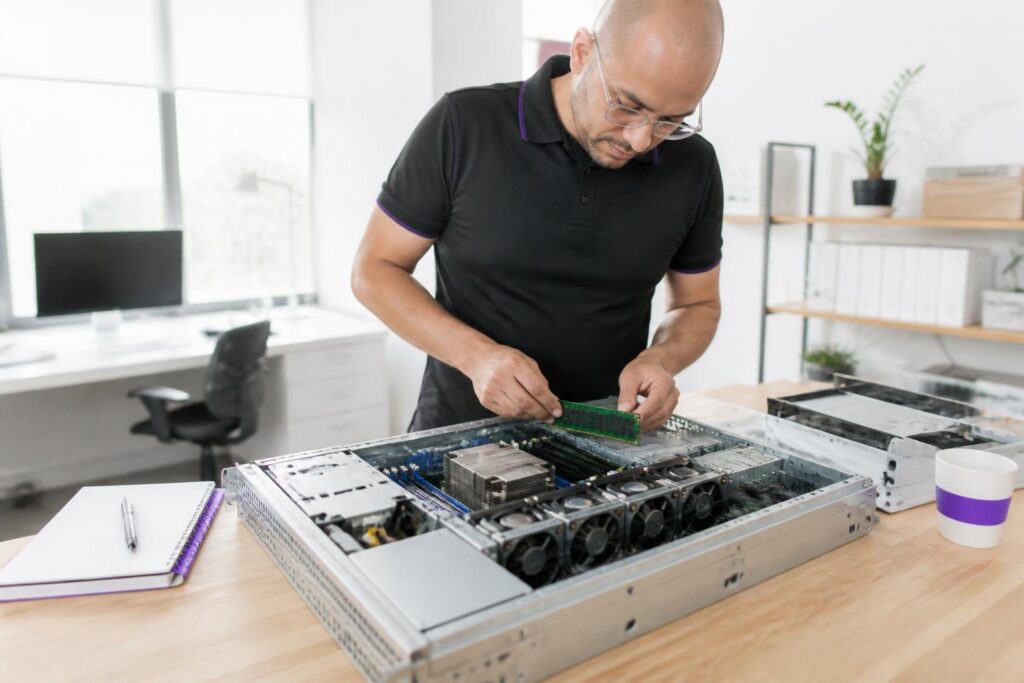
Deciding between managed and unmanaged hosting ultimately comes down to whether your internal team has the bandwidth and expertise to handle patching, security hardening, and system administration without outside support.
Managed vs. Unmanaged Plans: Which Level of Control Fits Your Team?
The choice between managed and unmanaged dedicated hosting is fundamentally a staffing decision, not a technical one. Unmanaged plans give your team complete root access and full administrative authority over the server — the operating system, security configuration, software stack, and update schedule all fall to you.
That freedom is genuinely valuable for DevOps teams with in-house sysadmin expertise, but it carries real operational weight: every kernel patch, every firewall rule, and every 3 a.m. incident response is your responsibility alone. Fully managed plans shift that burden to the provider. The provider handles OS-level patching, proactive monitoring, and first-response incident handling.
In practice, this means faster recovery for teams without dedicated infrastructure staff — but it also introduces constraints. Managed environments typically restrict which software you can install, which kernel versions you can run, and how deeply you can modify the system configuration. For organizations running standard web application stacks, those restrictions are rarely a problem. For teams with unusual runtime dependencies or custom kernel modules, they can become a genuine blocker.
Some providers offer a middle tier — sometimes called semi-managed or assisted hosting — where the provider secures and monitors the base system while your team retains full application-layer control. This hybrid approach is worth asking about explicitly, because it does not always appear prominently in a provider's standard pricing tiers. Management level and compliance posture are also linked.
Regulated workloads in healthcare or financial services often require documented patch management and audit trails. A fully managed plan from a provider with verified compliance certifications can satisfy those requirements more readily than an unmanaged plan where your team must build and evidence every control independently.
The dedicated server provider comparison at dedicatedserverguide.com maps management tiers and compliance credentials across current options, giving your team a structured starting point before any conversation with a provider.
What Does Dedicated Server Rent Actually Cost — Beyond the Advertised Price?
The advertised monthly rate for a dedicated server rarely reflects what you will actually pay once the contract is live. Promotional pricing covers the base hardware lease, but the true monthly spend takes shape only after several common add-ons are applied to the invoice. Understanding that cost anatomy before you sign is the single most effective way to avoid renewal-rate shock.
As noted under Managed vs. Unmanaged Plans, a structured provider comparison is a useful starting point — but even after narrowing your shortlist, request an itemised quote rather than relying on the headline figure.
Ask specifically about control panel licensing, hardware firewall tiers, DDoS mitigation thresholds, out-of-band remote access, and per-IP fees for additional addresses, since each of these is priced as an optional extra by many providers despite being a practical necessity for most production environments.
- Control panel licensing (e.g., cPanel, Plesk) billed separately and can add significantly to monthly cost
- Hardware firewall or DDoS mitigation above a basic threshold often priced as an optional extra
- Out-of-band remote access (IPMI/iDRAC) may carry an additional monthly fee
- Bandwidth overages if your plan includes a hard transfer cap rather than unmetered throughput
- IP address blocks beyond a single IP are typically invoiced per address or per subnet
- Setup or provisioning fees charged once but not always disclosed in headline pricing
- Backup storage allocated outside the server itself usually billed per gigabyte
- Renewal rates that revert to standard pricing after an introductory term expires
Contract Length, Lock-In, and Exit Costs: What to Scrutinize Before You Sign
Signing a dedicated server contract without reading the exit terms is one of the most common and costly mistakes in this category. The monthly rate advantage of a 12- or 24-month term is real, but it comes with clauses that can make switching providers far more disruptive than the original migration ever was.
Auto-renewal traps and termination fees can cost more than a full year of hosting fees combined.
As noted under Managed vs. Unmanaged Plans, shortlisting providers by management tier and compliance credentials is a sound first step — but that evaluation should happen before you are under any contractual pressure. Once a term is running, your negotiating position weakens considerably, and the exit costs examined in this section are precisely what make mid-contract course corrections so expensive.
- Auto-renewal windows that require cancellation notice 30 to 60 days before term end
- Early termination fees expressed as a percentage of remaining contract value
- Whether data retrieval or migration assistance is included or charged separately after cancellation
- Clauses that allow the provider to adjust pricing at renewal without explicit customer consent
- Which party owns IP addresses assigned during the contract and whether they transfer on exit
- Service level agreement credits that void if you cancel early, negating any compensation owed
- Hardware upgrade or downgrade restrictions mid-term that lock you into the original configuration

Regulated industries must treat compliance certifications as a non-negotiable filter that narrows the provider pool before any conversation about pricing, hardware specs, or service-level agreements can meaningfully begin.
How Do Compliance Requirements Shape Your Provider Selection?
For organizations in healthcare, finance, and regulated SaaS, compliance certification is not a preference — it is a hard constraint that eliminates non-qualifying providers before any hardware comparison begins. The verification process matters more than most buyers expect. The distinction is significant: infrastructure readiness describes physical and network controls, while a signed BAA creates the legal accountability that regulators require.
Before shortlisting any provider, request the actual certification documents — not marketing summaries — and confirm their issue dates. Certifications expire, and an audit completed several years ago may not reflect current controls. Data center location adds a second layer of constraint. Some compliance frameworks tie permissible storage locations to national or regional jurisdiction.
A provider with data centers only in regions outside your required jurisdiction may be structurally ineligible, even if it holds the right certifications elsewhere. Confirming which specific facilities carry which certifications — not just which certifications the provider holds in aggregate — closes a gap that catches regulated buyers off guard more often than any other pre-signing step. Physical isolation requirements can also affect configuration choices.
Some regulated workloads require documented isolation or segmentation controls. The required boundary depends on the applicable framework, data flow, service model, risk assessment, and any assessor-approved scope-reduction strategy.
Data Center Location, Latency, and Network Quality: Questions Worth Asking Upfront
A provider's geographic footprint sets a hard floor on the latency your users will experience — no amount of hardware optimization can compensate for a data center that is simply too far from your audience. Network quality compounds this: two providers may advertise identical 1Gbps uplinks, yet deliver meaningfully different real-world throughput depending on their routing agreements, peering relationships, and how they handle congestion during peak hours.
The most important question to ask before signing is not "where are your data centers?" but rather "which specific facility will host my server, and what is the network path from that facility to my primary user regions?" Providers with a broad geographic presence do not always allow customers to choose freely between locations, and a data center listed in a marketing brochure may not be available for the configuration you need.
Confirm the exact facility, then request information on upstream providers and peering arrangements. A provider that peers directly with major transit networks will generally deliver more consistent routing than one that relies on a single upstream carrier. Redundant uplinks — ideally from at least two independent carriers — matter more than raw port speed when your workload cannot tolerate routing failures. DDoS mitigation capacity deserves its own question.
Some providers bundle scrubbing capacity into every plan; others offer it only as a paid add-on with a separate activation process. For gaming platforms, financial applications, or any service with a public-facing attack surface, the difference between inline mitigation and on-demand mitigation can translate directly into downtime during an active attack. Ask for the mitigation threshold in gigabits per second and confirm whether it is always active or requires a manual trigger.
For readers still sizing their port requirements, Dedicated Server 1Gbps vs 10Gbps — What Bandwidth Do You Actually Need? provides a structured framework for that decision.

A provider's behavior during the sales and shortlisting phase — how transparently they communicate, what they omit from their documentation, and how they respond to technical questions — reveals far more about future reliability than any marketing claim.
Five Warning Signs That You Are Choosing the Wrong Provider
Certain provider behaviors visible during the shortlisting phase reliably predict operational friction after the contract is signed. You do not need to wait for an incident to identify a weak provider — the warning signs appear in how they communicate, what they publish, and how quickly they respond before you have given them any money. The first signal is opaque renewal pricing.
A provider that dodges renewal pricing questions before the sale will surprise you on the invoice after it.
If a provider's pricing page shows only promotional rates with no clear statement of what the renewal rate will be, that gap will eventually appear on your invoice. Ask directly: "The standard rate after the initial term?" A provider that cannot answer that question clearly is one that profits from the confusion. The second signal is vague SLA language. An uptime commitment that reads "we strive for 99.9% availability" is not a commitment — it is a marketing phrase.
A genuine SLA names a specific percentage, defines how downtime is measured, and states what compensation applies when the threshold is missed. The third signal is the absence of a published hardware refresh policy. Servers age, and aging hardware fails more frequently. A provider that cannot describe how and when it replaces aging components is one that may hand you a machine already past its reliable service window.
The fourth The limited or non-negotiable data center footprint. If a provider offers only one or two locations and cannot confirm which specific facility will host your server, your latency and redundancy options are constrained from day one. The fifth signal is slow pre-sales response time. The speed and quality of a provider's answer to a technical question before you The clearest preview of how they will handle a support ticket at two in the morning.
Bare Metal vs. VPS vs. Shared Hosting: Key Decision Factors
| Criterion | Metal | VPS | Shared |
|---|---|---|---|
| Resource isolation | Entire physical machine reserved for one tenant exclusively | Virtualized slice; resources allocated across multiple tenants | Dozens of accounts share one physical node simultaneously |
| Hypervisor overhead | No hypervisor layer between application and hardware | Hypervisor manages resource allocation, adding latency overhead | Shared stack adds platform overhead beyond hypervisor alone |
| Noisy-neighbor risk | No neighboring workloads; hardware responds to your load only | Tenant spikes on same host can affect your allocated slice | One resource-intensive account degrades all others on node |
| Compliance boundary clarity | Physically isolated infrastructure supports documented security boundaries | Logical separation may not satisfy strict HIPAA or PCI-DSS requirements | Multi-tenant node makes demonstrable isolation difficult to document |
| Workload scalability ceiling | Full hardware capacity available; ceiling set by physical specs | Ceiling set by hypervisor allocation, not raw hardware capacity | Platform-enforced limits constrain resource-intensive workload growth |
Conclusion – Rent the Right Server From Day One
Renting a dedicated server is not a commodity decision. The hardware generation, management tier, contract structure, and provider behavior you choose at signing will shape your operational reality for months — often years — afterward.