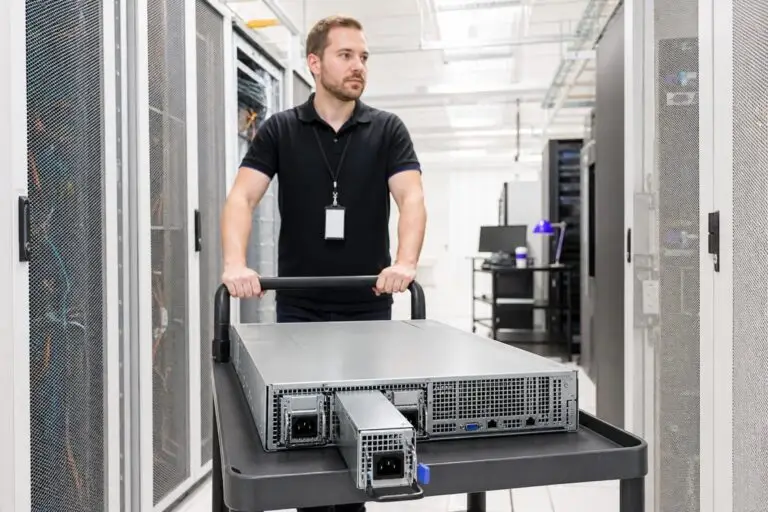

When you rent a dedicated server, you are not just paying for CPU cores and storage capacity. You are also paying for the physical infrastructure that keeps those components running reliably — and two factors sit at the heart of that infrastructure: power and cooling. Most buyers scan a spec sheet for processor model and RAM size, then overlook the thermal and electrical design that determines whether that hardware performs consistently or throttles under load.
Thermal Design Power, commonly abbreviated as TDP, is a manufacturer-defined design target used to specify an appropriate cooling solution for a processor class. It is not a direct measurement of maximum power consumption or actual heat output under sustained load.
A server that looks powerful on paper can still underperform if its cooling cannot dissipate the heat that workload produces. Redundant power supply units add a different layer of reliability. Where cooling governs sustained performance, redundant PSU architecture governs whether the server stays online at all when a power component fails.
Why Power and Cooling Matter More Than Most Buyers Realize
Power and cooling specifications are among the most consequential details on a dedicated server spec sheet — and among the least examined. A buyer who focuses exclusively on processor model, core count, and storage capacity is reading only part of the story. The physical systems that regulate heat and electrical supply determine whether that hardware performs at its rated capacity continuously or degrades silently the moment workload intensity climbs.
Consider what happens during a sustained compute task: a CPU running at full utilization generates heat at a rate proportional to its thermal design power. If the server chassis cannot dissipate that heat fast enough, the processor reduces its clock speed automatically to protect itself. This process, called thermal throttling, means the server delivers less compute output precisely when your workload demands the most.
The performance gap between a well-cooled server and a poorly cooled one does not appear on a spec sheet — it appears in production, often at the worst possible moment. Power delivery carries an equally direct consequence. A server running on a single power supply unit has one point of failure between your workload and a complete outage. If that unit fails, the machine goes offline regardless of how robust the processor or storage configuration is.
Redundant power architecture eliminates that single point of failure, but not every provider includes it as standard. Some treat it as an optional add-on, which means the advertised price may not reflect the true cost of a genuinely resilient configuration. Both factors — thermal headroom and power redundancy — are signals of how seriously a provider has engineered for continuous, demanding workloads rather than intermittent or light use.
Evaluating them before you sign a contract is the difference between a server that holds its performance under load and one that only promises to.
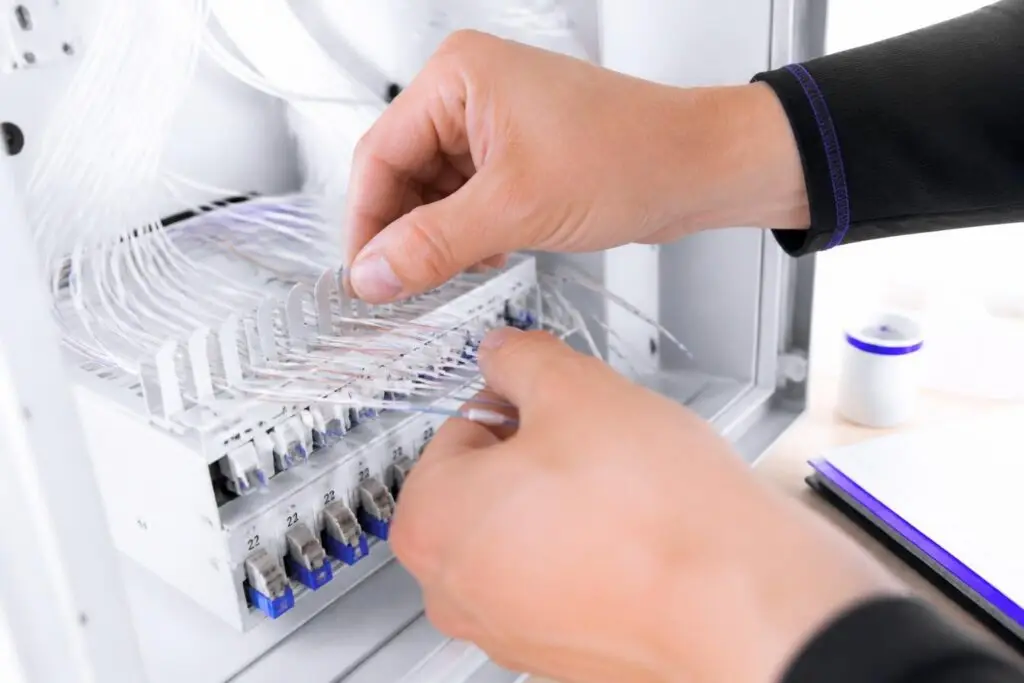
A processor's TDP is a cooling-design reference rather than a guaranteed maximum power or heat-output figure. Cooling and power capacity should be validated against vendor power limits and measured whole-system consumption.
What Is TDP and What Does It Actually Measure?
Thermal Design Power is a manufacturer-defined design target used when specifying cooling for a processor class. It is not a universal measurement of maximum power consumption, actual heat output, or sustained workload draw. Its exact meaning differs between processor manufacturers and product generations. Use vendor power limits and measured whole-system consumption when sizing cooling and power infrastructure.
For buyers evaluating providers, TDP becomes a useful proxy for whether the chassis and cooling architecture were designed for sustained compute or for lighter, intermittent use. Providers who disclose the full power envelope of their hardware configurations — including component-level TDP figures — signal a more rigorous approach to uptime engineering.
How TDP Translates Into Real Server Power Consumption
A processor’s TDP figure is only one input into a server’s actual power draw. The total system wattage combines the CPU, RAM modules, storage drives, network interface cards, and the platform overhead of the motherboard itself — and in a fully loaded configuration, the processor may account for well under half of what the power supply must deliver continuously.
A 200-watt CPU can push total wall draw past 350 watts once memory, drives, and platform overhead are counted.
This matters for PSU sizing: a unit rated exactly at estimated peak draw leaves no headroom for transient spikes, which is where undersized supplies fail first.
A server populated with a full complement of registered memory modules can add a meaningful fraction of the CPU's own TDP to the system total, particularly when memory channels are running at capacity under a database or in-memory caching workload. NVMe drives draw significantly less power than older spinning disks, but a chassis with multiple drives in a RAID configuration still adds cumulative wattage that must be factored in.
Network interface cards, especially those handling high-throughput or multiple 10 Gbps or 25 Gbps ports, contribute additional load. Platform overhead — the power consumed by voltage regulators, fans, baseboard management controllers, and chipset logic — rounds out the picture and is rarely itemized on a spec sheet. The practical implication is that system-level power draw can be substantially higher than the headline processor TDP suggests.
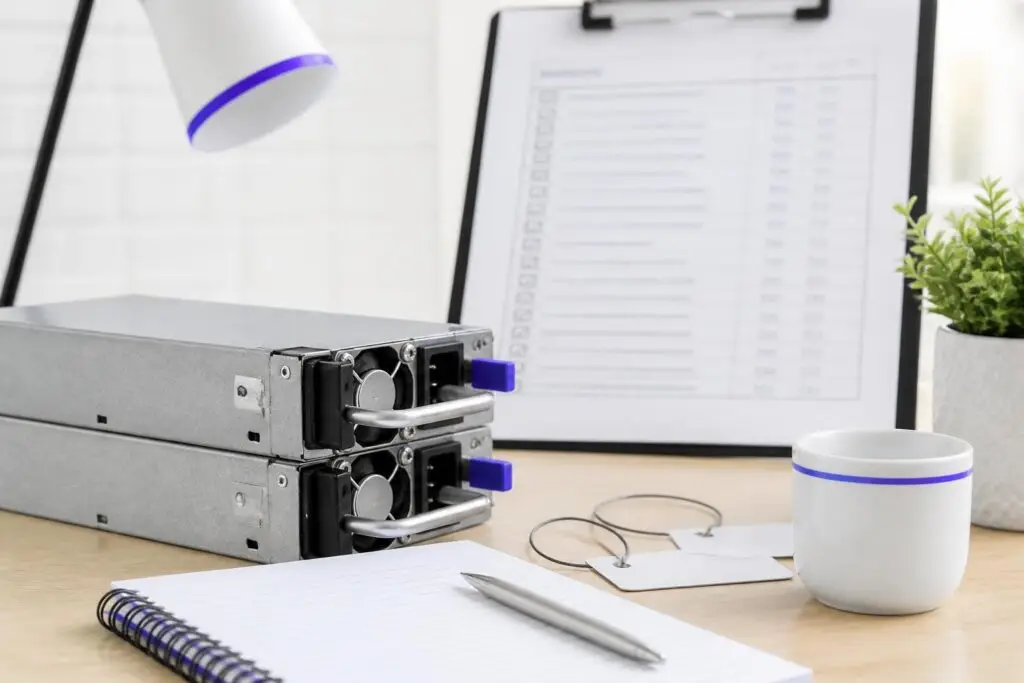
When one power supply unit fails in a redundant configuration, the remaining unit assumes the full load instantly and without interruption, provided the remaining PSU can carry the complete load and the supplies are connected to independent supported power paths. It does not protect against failures in shared upstream components.
What Are Redundant PSUs and How Does Failover Work?
A correctly configured redundant PSU arrangement can keep the server running after one PSU fails, provided the remaining PSU can carry the complete load and the supplies are connected to independent supported power paths. It does not protect against failures in shared upstream components.
The failed module can then be replaced while the server remains online — a capability called hot-swapping. No reboot, no service window, no customer-facing impact. At the hardware level, the failover event itself is nearly instantaneous.
Each PSU feeds into a shared power bus inside the chassis, and the transition from dual-module to single-module operation happens at the electrical level before any software layer can detect a fault. The baseboard management controller logs the failure and typically triggers an alert to the operations team, but the server itself never loses power.
The risk window that remains is the period between the first PSU failure and the replacement of the faulty unit — during which the system is running without its redundancy margin. Responsible operations teams treat that window as urgent.
Does Your Workload Actually Require Redundant Power?
Redundant power supplies are not a universal requirement — but for revenue-critical or compute-intensive workloads, skipping them introduces a risk that no SLA language can fully compensate for. The honest answer depends on what your server is doing and what an unplanned outage actually costs your operation. The clearest case for dual PSUs is any workload where downtime has a direct, measurable financial consequence.
A live e-commerce checkout process, a payment gateway, a real-time AI inference endpoint serving customer-facing requests, or a media streaming platform with concurrent viewers — all of these lose real revenue the moment the server goes dark. For these profiles, the cost of a redundant PSU configuration is almost always lower than the cost of a single unplanned outage lasting even a few minutes.
Gaming infrastructure presents a similar argument: a server failure mid-session damages player retention in ways that extend well beyond the outage window itself. Development environments, internal staging servers, and batch-processing jobs that can restart cleanly after an interruption occupy the opposite end of the spectrum. A failed PSU on a non-production machine is an inconvenience, not a crisis. Single-PSU configurations are a rational choice here, and the cost saving is real.
The decision becomes more nuanced for workloads that sit in between — a database replica, for example, that is not customer-facing but whose failure would degrade the primary system's resilience. Workload criticality, not hardware convention, should drive this decision. A useful exercise is to estimate the cost of one hour of unplanned downtime for the specific service running on that machine, then compare it to the monthly premium for a redundant PSU configuration.
When that comparison is laid out plainly, the right answer is usually obvious.
Server Cooling Architectures – Air, Liquid, and Hot-Aisle Containment
Data centers use three primary cooling strategies — traditional air-flow management, hot-aisle/cold-aisle containment, and direct liquid cooling — and the approach a provider uses directly affects how well high-TDP hardware performs under sustained load. Choosing a provider whose cooling infrastructure cannot handle your server's thermal output is a reliability risk that no SLA clause will resolve after the fact.
A facility that mixes hot and cold air freely cannot reliably support dense, high-performance workloads.
Hot-aisle containment is now a baseline standard, and any facility mixing hot and cold air freely is unsuited to dense workloads.
Traditional air cooling circulates chilled air across server components using chassis fans and room-level computer room air conditioning units. This approach works reliably for servers with moderate thermal loads, but it becomes less efficient as rack density increases.
When many high-TDP processors are installed in adjacent rack units, the aggregate heat output can exceed what air circulation alone can manage. Hot-aisle/cold-aisle containment addresses this by physically separating the cool air intake side of server racks from the hot exhaust side, preventing warm air from recirculating back into intakes. This arrangement improves cooling efficiency meaningfully and is now a baseline expectation in professionally managed data centers.

Sustained workloads on an inadequately cooled server trigger a rapid, repetitive cycle of frequency reductions that silently erodes application throughput long before any alarm or error is ever logged.
How Thermal Throttling and Sustained Load Affect Performance Consistency
The practical detail that cooling architecture discussions rarely reach is that throttling is not binary: a processor steps down through multiple frequency levels in milliseconds, recovering and throttling again in a continuous cycle for as long as thermal pressure persists.
This oscillation is particularly damaging for latency-sensitive workloads like high-concurrency database queries, where each throttle event introduces a response-time spike that aggregate throughput metrics can mask entirely. The implication for procurement is that sustained clock speed under a representative load — not the peak boost frequency on the spec sheet — is the figure that predicts real application behaviour.
A server in an adequately cooled environment may never throttle at all under the same workload. The distinction is invisible on a spec sheet but measurable in practice: sustained clock speeds under load are the relevant metric, not the peak boost frequency listed by the processor manufacturer.
Workload patterns most likely to trigger throttling share a common characteristic: they maintain high CPU utilization for extended periods rather than spiking briefly and returning to idle. Batch processing jobs, persistent API servers handling continuous traffic, and real-time encoding pipelines all fall into this category. A brief benchmark may show full-rated performance, while a 30-minute sustained run under the same configuration reveals throttling-induced slowdowns.
Power Efficiency Ratings and Their Impact on Operating Costs
PSU efficiency ratings determine what fraction of the electricity drawn from the wall actually reaches your server's components — and what fraction is lost as heat.
A power supply rated at 80% efficiency converts 80 watts of every 100 watts consumed into usable power; the remaining 20 watts dissipate as heat, adding to the facility's cooling burden and your operating costs simultaneously. The 80 PLUS certification program grades power supplies across six tiers — Standard, Bronze, Silver, Gold, Platinum, and Titanium — with each tier representing a higher minimum efficiency at varying load levels.
Published PUE values vary by facility, climate, measurement boundary, utilization, and reporting method. Compare values only when providers disclose how and over what period PUE was calculated.
PUE measures how much total power a data center consumes relative to the power delivered directly to servers. A PUE of 1.0 would mean every watt drawn goes to compute — an ideal no real facility achieves.
Industry-observed data consistently shows that well-optimized modern facilities operate with PUE figures in the range of 1.2 to 1.4, with hyperscale operators such as Google regularly reporting figures at the lower end of that range and documenting the broader industry average.
When evaluating a provider, a lower published PUE indicates that more of your monthly spend translates into actual compute capacity rather than facility overhead. Both metrics — PSU efficiency tier and facility PUE — connect directly to hardware longevity as well as operating cost.
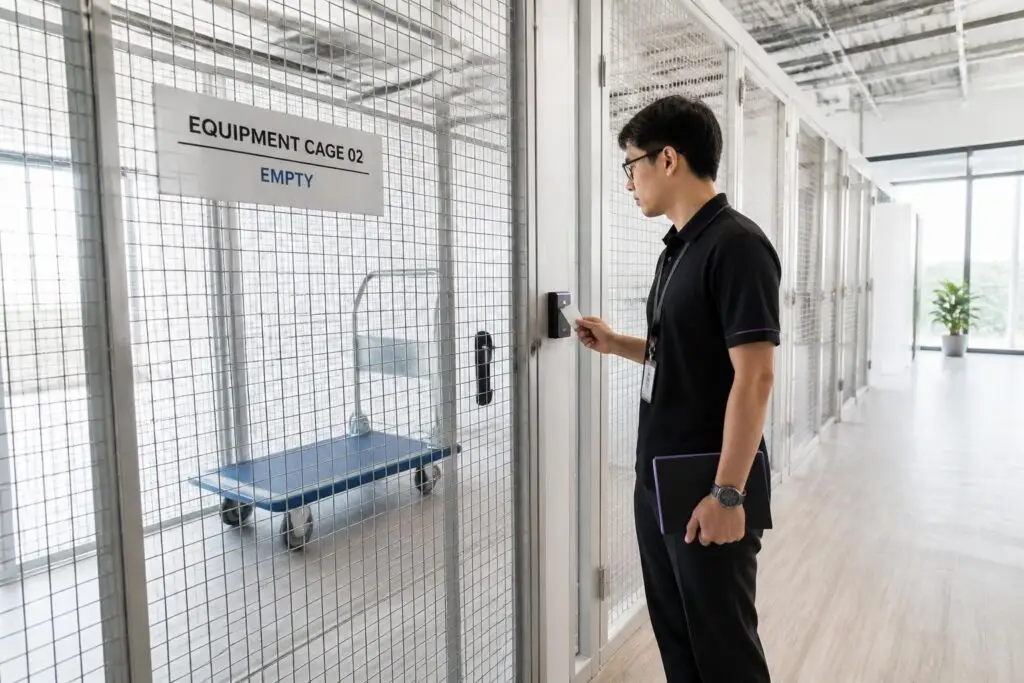
Asking a prospective hosting provider specific questions about cooling capacity, power redundancy tiers, and failover testing history reveals far more about real uptime capability than any published specification sheet.
What to Ask a Provider About Power and Cooling Before You Sign
Before committing to a dedicated server contract, asking the right infrastructure questions separates a provider with genuine uptime resilience from one relying on marketing language. Spec sheets routinely list processor models and storage configurations, yet rarely disclose the redundancy architecture behind the power delivery or the cooling headroom available per rack unit. Those omissions matter most when your workload runs continuously at high utilization.
A provider who cannot state UPS runtime and generator switchover time precisely is signaling something about operational maturity.
Start with power redundancy at the facility level. Ask whether the data center operates on an N+1 or 2N power configuration. N+1 means one backup unit exists for the entire chain — adequate for most workloads, but a single point of failure remains. A 2N architecture duplicates every power path completely, so no single failure can interrupt supply.
Follow that with a question about uninterruptible power supply runtime and generator switchover time: a credible provider will state both figures precisely, not in vague terms like "sufficient backup capacity." If the answer is imprecise, treat it as a signal about operational maturity. On the cooling side, ask specifically whether the facility's cooling capacity scales when high-TDP hardware is installed.
A rack configured with two high-core-count processors and multiple GPUs can draw significantly more heat per unit than a standard compute node. Some facilities allocate cooling uniformly across racks without accounting for dense configurations, which creates thermal risk under sustained load. Ask for the rated kilowatt capacity per rack and confirm whether your planned hardware falls within that envelope.
You should also ask whether cooling operates in an N+1 or fully redundant mode — the answer directly affects how the facility responds to a cooling unit failure during peak demand. Uptime-critical workloads deserve one more question: what is the documented response time if a power module or cooling unit fails? A provider with a mature infrastructure will have a defined escalation procedure and a maximum response window in writing.
Dedicated Server Power & Cooling: Key Spec Comparisons
| Criterion | Redundancy | Cooling | Data |
|---|---|---|---|
| Failure impact | Single PSU failure takes server offline immediately | Cooling shortfall triggers thermal throttling, not full outage | Insufficient power budget risks data corruption mid-write |
| Cooling requirement | Dual PSUs add heat; cooling must account for both units | Sized against worst-case TDP, not average draw | Storage components add thermal load to total rack budget |
| Performance under sustained load | Failover maintains uptime; throughput unaffected during switch | Inadequate cooling causes processor to reduce clock speed | Thermal throttling degrades storage I/O on sustained workloads |
| Workload suitability | Critical for AI inference, financial processing, transcoding uptime | High-TDP workloads demand headroom above rated thermal envelope | Compute-intensive jobs sustain peak draw for hours, stressing cooling |
| Infrastructure overhead | Redundant PSUs raise total watts drawn per rack unit | Facility PUE rises with high-density, high-TDP configurations | More cooling infrastructure increases provider operational costs |
Conclusion – Match Power Infrastructure to Your Uptime Requirements
TDP, PSU redundancy, and facility cooling are not background specifications — they are direct predictors of whether your server delivers on its uptime commitments, how long its components remain within safe operating tolerances, and what you will actually spend over the contract lifetime. Hardware running at sustained thermal limits degrades faster, accumulates unplanned downtime, and drives replacement cycles that inflate total cost well beyond the headline monthly rate.
Before signing with any provider, verify that TDP-rated cooling capacity matches your workload profile, confirm N+1 or 2N PSU architecture in writing, and request documented PUE figures for the facility. These three checkpoints translate directly into the uptime guarantees, hardware longevity, and operating cost predictability that determine whether a dedicated server is genuinely fit for your requirements — not just attractively priced on a comparison page.