

A dedicated server SLA is not a formality — it is the legal boundary between a provider's marketing language and what they are actually obligated to deliver. Most buyers focus on hardware specs and price when evaluating plans, and the SLA document receives little more than a scroll and a signature. That is a costly habit.
The guarantees buried in those pages determine how quickly a failed drive gets replaced, what compensation you receive when the network goes down, and whether the uptime figure on the sales page carries any real weight.
Understanding a dedicated server SLA requires separating three distinct layers: availability commitments, which define how much downtime is acceptable within a billing cycle; response and resolution time guarantees, which govern how fast the provider acts when something breaks; and hardware replacement guarantees, which set the clock on physical component failures. Each layer uses its own terminology, its own exclusion clauses, and its own credit mechanism.
A provider can advertise 99.99% uptime while simultaneously defining "downtime" so narrowly that most real outages fall outside the covered window. This article decodes each layer in plain language.
What Is a Dedicated Server SLA?
A dedicated server SLA is a legally binding contract that defines the exact performance obligations your provider must meet — and the remedies available to you when they fall short. It is not a courtesy document or a summary of marketing claims. Every commitment in it carries a specific definition, a set of exclusion conditions, and a credit or compensation mechanism that activates only when those conditions are met precisely.
The contract is built around three core components. The first is the uptime availability commitment, expressed as a percentage of total time within a billing cycle. A figure such as 99.9% translates to roughly eight hours and forty-five minutes of allowable downtime per year — not per incident. The second component covers response and resolution times: how quickly a support team must acknowledge an incident, and separately, how quickly they must resolve it.
These two figures are often confused, yet the gap between them can span hours or days. The third component is the hardware replacement guarantee, which sets the maximum time a provider has to swap a failed component — a drive, a memory module, a power supply — before the outage triggers a credit.
What makes SLA language genuinely difficult to evaluate is the definition of terms. A provider may define “downtime” as a complete loss of network connectivity, which means a degraded-but-reachable server does not qualify for credit regardless of how badly performance suffers. Exclusions for scheduled maintenance, force majeure events, and customer-caused issues can remove a large share of real-world outages from coverage entirely.
Reading the SLA before you sign is not optional for any workload where availability directly affects revenue or compliance standing.

Measuring availability over a calendar month rather than a full year can mask significant downtime risk, because a single bad month resets without affecting the provider's annual compliance record.
How Uptime Percentages Translate into Real Downtime
What that section does not address is how the billing period used to measure availability changes the practical risk profile — often in ways that favour the provider.
A monthly 99.9% commitment allows approximately forty-three minutes of downtime per month — which sounds modest until a single hardware failure consumes the entire allowance in January, leaving you with no credit entitlement if a second incident occurs in February.
Annualising a monthly SLA also means a provider can, in theory, deliver eleven near-perfect months and one catastrophic month while remaining technically compliant for the year.
For a payment platform or a real-time booking system, those eight hours are not an abstraction; they are lost transactions, failed checkouts, and potential compliance breaches.
Two details make these figures even more consequential in practice. A monthly 99.9% commitment allows approximately forty-three minutes of downtime per month — which sounds modest until a single hardware failure consumes the entire allowance in one incident. Second, the percentage figure only governs what triggers a credit.
It says nothing about how long recovery actually takes once the threshold is crossed. A provider can breach its SLA and still owe you only a partial service credit, not compensation proportional to your actual revenue loss.
The practical implication is straightforward: always convert the stated percentage into hours before comparing plans. A four-nines commitment (99.99%) is not simply “better” than 99.9% — it is a structurally different risk profile.
What Does a Response Time Guarantee Actually Cover?
A response time guarantee covers how quickly a provider commits to reacting when something goes wrong — but “reacting” means different things at different stages of an incident, and most SLAs only guarantee the first and least meaningful stage.
A server staying offline for hours can still satisfy every SLA metric if only the first reply was ever guaranteed.
The typical support workflow moves through three distinct phases: acknowledgement, action, and resolution. Ticket acknowledgement time is the interval between your support request and the provider's first reply confirming they received it. This is the figure most prominently advertised — "15-minute response time" or "1-hour SLA" — and it is also the easiest commitment to honor without actually solving anything.
A reply that says "we are investigating" satisfies a 15-minute acknowledgement clause regardless of what happens next. Time-to-action, meaning when a technician physically or remotely begins working on the fault, is rarely defined in writing. Time-to-resolution — when your server is fully operational again — is the figure that matters most commercially, yet it appears in enforceable SLA language far less often than the acknowledgement window.
This gap creates a practical risk. A provider can meet every stated response time commitment while your server remains unreachable for several hours, simply because only the first reply was contractually guaranteed. When evaluating a contract, look specifically for language that binds the provider to a time-to-action threshold and, ideally, a maximum resolution window for common fault categories such as hardware failure, network outage, or OS-level issues.
Vague phrases such as "best efforts" or "as soon as practicable" carry no enforceable weight. Concrete time windows tied to specific fault types do.
Priority tiers add another layer of complexity. Many providers define response times differently depending on whether an issue is classified as critical, high, or standard — and the classification is often made by the provider, not the customer.
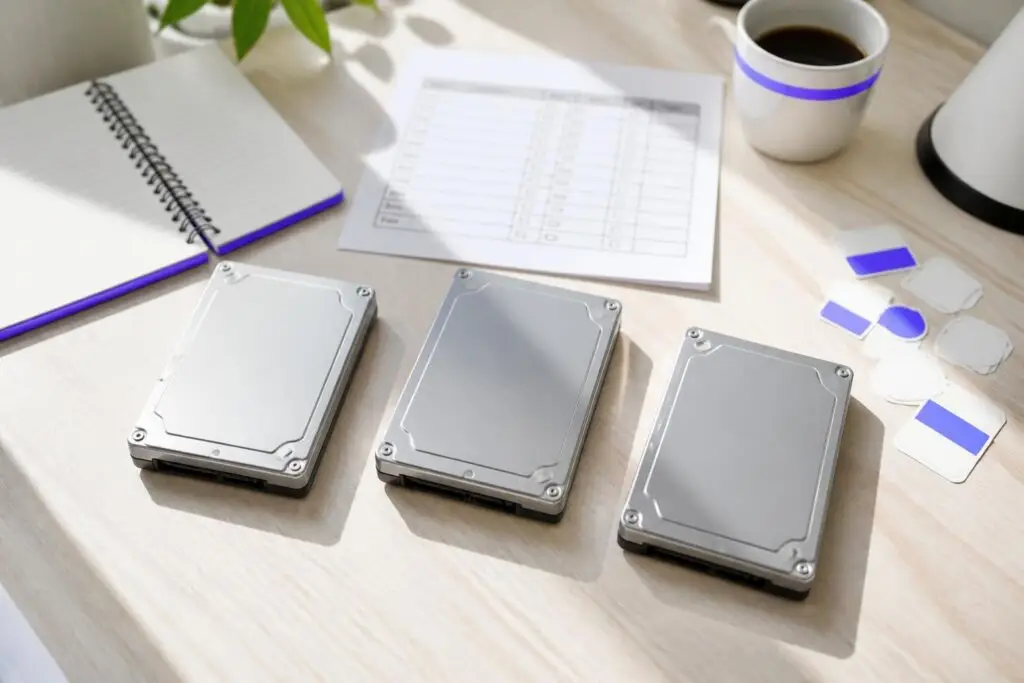
The replacement clock for failed hardware rarely starts the moment a fault is detected, and the gap between failure, acknowledgment, and physical swap is where most service agreements quietly shift liability away from the provider.
Hardware Replacement Guarantees – What the Fine Print Says
As noted under What Does a Response Time Cover, not all response commitments carry equal legal weight. The more consequential question here is when the replacement clock actually starts — and most contracts are deliberately imprecise on this point.
Hard disk drives in RAID arrays occupy a particularly ambiguous space: a provider may argue that a single failed drive in a redundant array does not constitute a service-affecting fault, meaning the replacement clock never officially starts. Clarifying in writing — before provisioning — whether a degraded RAID state triggers the guarantee avoids a costly disagreement mid-incident.
Similarly, some contracts require the customer to open a formal support ticket before the timer begins, adding procedural latency to an already urgent situation.
The second variable is the operational infrastructure behind the commitment. A four-hour replacement window is only achievable if the provider maintains on-site spare-parts inventory and has technicians available around the clock. Some contracts promise aggressive timelines but rely on next-business-day parts delivery from a third-party supplier — a detail buried in a definitions clause or an appendix.
On-site spare availability and 24/7 technician access are the two operational conditions that determine whether a stated window is realistic. Ask for both to be named explicitly in the agreement, not implied by the headline figure.
How Service Credits Work — and When They Fall Short
Service credits are the standard compensation mechanism in dedicated server SLAs: when a provider misses its uptime commitment, it returns a portion of your monthly fee as account credit. The mechanism sounds straightforward, but the practical value of that credit is shaped by a series of limiting conditions that are easy to overlook during contract overview.
The first limiting factor is the credit cap. Most providers set a ceiling — commonly one month’s service fee — regardless of how long the outage lasted or how severe the business impact was. If your server hosts a high-traffic e-commerce platform and an extended outage costs you significantly more than one month’s hosting fee in lost revenue, the credit covers only a fraction of the actual harm. The credit is designed to acknowledge the breach, not to make you financially whole.
Exclusion clauses represent a second, often underestimated constraint. Standard SLA language carves out scheduled maintenance windows, events attributed to third-party network providers, and circumstances classified as force majeure. Because the provider typically determines which category an incident falls into, an outage that feels entirely preventable from your perspective may be reclassified in a way that disqualifies it from credit eligibility entirely.
The third constraint is procedural: most agreements require you to file a formal credit claim within a defined window — sometimes as short as 48 to 72 hours after the incident closes. Miss that deadline and the credit is forfeited, regardless of the underlying breach. Claim filing deadlines are rarely highlighted in sales conversations but are consistently present in the contract’s appendix or terms of service.

Standard exclusion categories such as scheduled maintenance windows, upstream network events, and customer-initiated changes are the provisions most likely to disqualify an outage from earning you any credit at all.
Which SLA Exclusions Quietly Void Your Uptime Guarantee?
The clauses most likely to void your uptime guarantee are not buried in obscure legal language — they are standard, named exclusion categories that appear in nearly every dedicated server contract.
Unlimited maintenance windows can legally absorb hours of downtime without triggering a single credit.
Scheduled maintenance The most common exclusion. Providers reserve the right to take infrastructure offline for planned upgrades, and any downtime occurring within a declared maintenance window is typically excluded from uptime calculations entirely. The critical detail is how much advance notice is required and whether the window is capped in frequency or duration per billing cycle.
A contract that permits unlimited maintenance hours — even with 24-hour advance notice — can legally absorb significant downtime without triggering any credit obligation.
Force majeure clauses cover events the provider classifies as outside its reasonable control: power grid failures, natural disasters, and sometimes broader categories such as "government actions" or "internet backbone disruptions." The risk here is definitional latitude. Some contracts define force majeure narrowly; others extend it to cover upstream network outages that a well-redundant provider could have mitigated through carrier diversity.
If the clause is broad, a provider can invoke it for incidents that better infrastructure design would have prevented.
Customer-caused outages form a third exclusion category. Any downtime linked to your own configuration changes, software deployments, or firewall rules is typically excluded from SLA coverage — even if the root cause is ambiguous. Similarly, failures attributed to third-party software or services running on your server fall into this bucket. The practical consequence is that incident classification often happens unilaterally on the provider’s side, with limited recourse for you if you disagree.
SLA Requirements for Regulated Industries
hosting providers — and a standard commercial SLA rarely satisfies them without negotiation or supplemental documentation.
That document extends the SLA's scope: it must address breach notification timelines, permissible data uses, and the provider's obligations if a subcontractor is involved in hardware maintenance or data center operations. A standard uptime SLA says nothing about any of this.
The standard requires that organizations be notified promptly when a security incident may have exposed cardholder data. A provider's SLA should specify a concrete notification window — not a vague commitment to "timely" communication.
When evaluating a provider for a regulated workload, request the actual report rather than accepting a general compliance claim.

Before committing to any dedicated server contract, you should verify the annual downtime allowance, the real monetary value of credits, the maximum hardware replacement window, and the exact escalation process for disputed incidents.
How to Evaluate an SLA Before Signing a Contract
Working through each checkpoint systematically takes less than an hour — and it surfaces weak guarantees before they become your problem.
Start with the uptime figure and convert it to hours. A 99.9% commitment allows roughly 8.7 hours of downtime per year; a 99.99% commitment shrinks that to under an hour. Those numbers look similar on a spec sheet but represent entirely different risk profiles for a payment platform or a real-time gaming environment. Next, examine the credit structure.
A provider offering five percent of your monthly fee as compensation for a full day of outage is returning a fraction of your actual loss. A well-structured SLA scales credit value proportionally to downtime duration — and ideally offers credits that exceed a simple pro-rata refund for extended incidents.
Hardware replacement windows deserve the same scrutiny. Confirm whether the stated window applies around the clock or only during business hours, and whether it covers component swap-out or merely the start of a diagnostic process. The distinction matters enormously at 2 a.m. on a weekend.
Finally, read the escalation clause: does the contract specify a named escalation contact, a maximum resolution tier, or an independent dispute mechanism — or does it simply route all disputes back to the same support queue? A provider with no defined escalation path is effectively the sole judge of its own compliance.
Conclusion – Read the SLA Before You Sign
Taken together, the uptime percentage, credit structure, hardware replacement window, exclusion clauses, and escalation path form a complete picture of how a provider will behave when things go wrong. Before signing, verify each component using the checklist in Dedicated Server SLA Terms — What Uptime Guarantees Really Mean.
One hour spent reading an SLA before signing beats days of lost revenue spent regretting it.