

Choosing how to provision a dedicated server is not simply a hardware decision. It is an operational commitment that shapes your team's workload from day one — determining how quickly you can go live, how much control you retain over the physical environment, and what expertise you need in-house to keep everything running. Three distinct models exist: instant deployment, custom-built configurations, and colocation hosting.
Each carries a different time-to-production window, cost structure, and division of responsibility between you and the provider. The difference matters more than most buyers anticipate. A team that selects an instant-deployment plan expecting custom hardware will face constraints they cannot work around mid-contract.
A technical founder who opts for colocation without accounting for the full operational burden — power, cooling, cross-connects, and on-site maintenance — may find the cost savings evaporate quickly. Conversely, a company that over-engineers a custom build when a pre-configured server would have served the workload just as well is simply paying for complexity it does not need.
This comparison frames all three provisioning models as distinct operational contracts rather than points on a price ladder.
What Is a Dedicated Server Provisioning Model?
A dedicated server provisioning model defines the operational contract between you and a provider — specifying who owns the hardware, how quickly it becomes available, and where management responsibility begins and ends. It is not a description of the server itself. Two servers with identical specifications can be delivered under entirely different models, each placing a different burden on your team from the moment you sign.
That burden spans three distinct axes: how long before the server reaches production, what the cost structure looks like across the contract term, and how much in-house expertise your team must maintain to keep the environment running.
The distinction becomes concrete when something goes wrong. Under instant deployment, the provider has pre-racked and pre-tested hardware ready to assign — production can begin within hours, but you work within configurations the provider has already decided. Under a custom-build model, the provider assembles hardware to your exact specification, which takes days to weeks depending on component availability and data center workload.
That lead time buys you a machine tuned to your requirements, but it also means production cannot start until the build is complete and verified. Colocation sits at the opposite end of the spectrum: you own the physical hardware outright, ship it to the provider's facility, and lease only the rack space, power, and network connectivity. The provider's responsibility stops at the cabinet door — and so does their obligation.
Each model also carries a distinct cost structure. Instant deployment typically commands a modest premium for immediate availability. Custom builds can reduce per-unit cost at scale but introduce procurement risk if lead times slip. Colocation shifts capital expenditure to you while reducing the monthly operational fee, though power, cross-connects, and on-site maintenance can erode those savings faster than initial estimates suggest.
Matching the model to your team's actual operational capacity — not just your hardware wishlist — is the first decision this comparison is designed to support.

Pre-configured server pools let businesses reach production in hours, but the speed advantage comes at the cost of hardware flexibility and the ability to tailor specifications to unique workload demands.
Instant Deployment – Speed, Standardization, and the Trade-Offs That Come With It
Rather than assembling components to a buyer's specification, the provider maintains a standing inventory of validated configurations — fixed CPU, RAM, and storage combinations that can reach production within minutes to a few hours. The trade-off is straightforward: speed is exchanged for configuration standardization. You gain immediate availability; you give up the ability to specify hardware ratios outside what the provider has already decided to stock.
The cost surfaces at the boundary between common and non-standard workloads.
The provider has already validated the hardware combination, which reduces early-life failure risk and shortens the path from order to production.
For a detailed breakdown of how billing structures interact with mid-term changes, Dedicated Server Billing Models – Monthly, Annual, and Hourly Compared covers the mechanics directly.
One further consideration is geographic availability. Pre-built inventory is not distributed equally across every data center a provider operates. The location you need for latency or data residency reasons may carry a narrower selection than the flagship facility. Verifying stock depth at your target location — before finalizing the order — prevents the common scenario of accepting a geographically suboptimal placement simply because it was the only option available at that moment.
A structured provider comparison can surface which platforms maintain deep inventory across multiple regions, which is one of the practical filters the full provider comparison is built to support.
Custom-Built Dedicated Servers – When Tailored Hardware Justifies the Longer Lead Time
A custom-built dedicated server carries a lead time of days to weeks — and that window is the central cost of precision. The more useful question is which workloads make that cost rational rather than merely acceptable.
A workload defined by specific hardware ratios will always outgrow a standard build, no matter how fast it arrived.
The workloads that genuinely justify the wait share a specific characteristic: their performance ceiling is defined by hardware ratios, not just raw capacity. A large-scale database engine that requires a high core count paired with substantial RAM — rather than the balanced ratios common in pre-built tiers — will underperform on standard inventory regardless of how quickly it was provisioned.
For compliance-driven environments, the ability to specify hardware-level encryption support or particular RAID configurations may be a contractual requirement, not a preference.
The sibling article Dedicated Server Compliance – HIPAA, PCI-DSS and SOC 2 Compared covers what each framework concretely demands from the hardware layer.
Where teams commonly overestimate the need for custom builds is in workloads that are merely unfamiliar rather than genuinely non-standard. A team migrating from a VPS environment often interprets their growth pain as a hardware specification problem when the underlying requirement is simply more dedicated compute of a conventional type. Choosing a custom build in that scenario adds lead time and often cost without a proportional performance gain.
The practical decision point is straightforward: if your workload cannot run correctly on any configuration in the provider's standard inventory, custom provisioning is warranted. If it can run correctly but you prefer a different ratio, instant deployment with a planned upgrade path is usually the faster and lower-risk route.

Owning your hardware outright and housing it in a third-party facility gives you maximum control over physical components, yet the upfront capital expenditure and depreciation schedule make this a long-term financial commitment that cannot be easily reversed.
Colocation Hosting – Full Hardware Ownership Inside a Provider's Data Center
The capital commitment in colocation is front-loaded and permanent in a way that distinguishes it sharply from rented dedicated infrastructure. Purchasing server hardware outright requires significant upfront expenditure, and that hardware depreciates on a fixed timeline regardless of whether your workload scales, contracts, or changes direction entirely.
Unlike a rented dedicated server — where the provider absorbs hardware replacement costs as part of the service contract — a colocation customer carries full ownership risk. When a drive fails, a network card reaches end of life, or a chassis component degrades, the replacement cost, the procurement coordination, and the scheduling of physical intervention fall entirely on your team.
That cost exposure compounds over a multi-year hardware lifecycle and must be factored into any honest total-cost comparison against a rented model.
The in-house expertise requirement is equally non-negotiable and is where operators most frequently underestimate the model. Remote hands services — where data center staff perform physical tasks such as racking, cabling, or drive swaps on your behalf — are available from most facilities, but they are billed separately per incident and are not a substitute for a competent internal infrastructure team.
Your engineers must own hardware procurement decisions, firmware management, OS configuration, and capacity planning as core responsibilities, not occasional tasks. Colocation is a rational operational choice only when that capability already exists inside your organization.
For teams without that depth, a managed dedicated server from a provider transfers those operational layers without requiring hardware ownership. The distinction matters because the decision is not primarily about which model offers better hardware — it is about which model your team can actually sustain at the operational level your workload demands day to day.
How Do the Three Models Differ in Real Operational Cost?
Promotional headline rates are one example of a broader pattern: every provisioning model carries a layer of costs that appear only after the contract is signed, and the gap between advertised price and total spend widens the longer the contract runs.
The decision rule that matters most is the contract horizon you apply to the comparison. Over a three-month window, instant deployment almost always wins on cash outlay. Over a 36-month window, colocation's capital expenditure is frequently recovered through lower recurring fees — but only if utilization remains high enough to justify the fixed asset.
Custom builds occupy an awkward middle position: engineering and lead-time costs are sunk before the server is live, so any workload change that requires a hardware revision resets that calculation partially or entirely.
For instant deployment, the headline rate typically covers the base hardware and a basic network uplink. Control panel licensing, hardware firewalls, DDoS mitigation, and additional IP addresses are commonly billed as separate line items. Mid-contract upgrades — adding RAM or swapping to a larger storage tier — can trigger a reconfiguration fee or force a full server migration, both of which carry hidden labor costs.
Renewal rate divergence is also a persistent risk: promotional pricing at signup frequently steps up at the first renewal, and the difference can be substantial enough to change the cost comparison entirely.
Colocation shifts the cost structure entirely. The monthly facility fee — covering power, cooling, and connectivity — is typically lower than a rented dedicated server at equivalent specs, but it excludes hardware acquisition, depreciation, and any remote-hands labor. A failed component means a replacement purchase and a scheduling window with data center staff, both billed separately.
Custom-built rented servers sit between these extremes: higher initial configuration costs than instant deployment, but no hardware ownership risk and no depreciation exposure.
The full provider comparison surfaces which providers include management, bandwidth, and panel licensing in their base rates — the details that determine whether an attractive headline price holds up under a realistic total-cost calculation.

Matching a provisioning model to your team's actual technical capacity is just as important as matching it to your performance requirements, since even the most powerful server becomes a liability without the staffing to maintain it.
Which Provisioning Model Fits Your Team's Operational Capacity?
The right provisioning model is the one your team can actually operate without creating new risk. A custom-built unmanaged server may deliver superior raw performance, but if your engineering team lacks dedicated sysadmin capacity, that performance advantage disappears the moment a kernel update breaks a dependency or a network misconfiguration goes undetected at 2 a.m.
A five-person team shipping features daily cannot also own infrastructure operations without something breaking.
Instant deployment with a managed layer suits teams that need production-ready infrastructure quickly and cannot absorb the operational overhead of OS hardening, patch management, and monitoring configuration. A five-person engineering team shipping product features cannot realistically double as an infrastructure operations team under sustained production pressure.
Managed instant-deploy options transfer that responsibility to the provider, at a higher monthly cost but with a predictable support contract. The trade-off is reduced configuration flexibility: the provider controls the base image, update cadence, and often the control panel environment.
Custom-built servers, whether managed or unmanaged, demand a longer evaluation horizon. Lead time and configuration complexity require at least one team member who can specify hardware accurately upfront, validate delivery against the build order, and handle post-provisioning setup. Organizations with a dedicated DevOps engineer or a small infrastructure team typically absorb this well. Those without that capacity risk signing a contract for hardware they cannot fully utilize or maintain.
Colocation demands the highest internal expertise of the three models. Physical hardware ownership means your team handles procurement, warranty management, and component replacement logistics. For organizations already running an internal IT function, this is a natural extension. For a lean SaaS team, it introduces operational obligations that compete directly with product development.
Compliance and Physical Isolation Requirements Across Provisioning Models
Knowing which compliance frameworks apply to your workload is only the first step — the more consequential question is how your choice of provisioning model shifts the compliance burden between you and the provider, and how that shift affects the evidence you can actually produce during an audit.
The critical operational question is not whether a provider holds certifications, but whether those certifications extend to the specific data center region where your server will be provisioned. A provider certified at its headquarters location may operate uncertified satellite facilities; assuming coverage without verifying the scope in writing is one of the most common audit failures in rented-infrastructure environments.
Colocation removes that ambiguity by placing configuration, encryption state, and access policy entirely under your control — but it also means every gap in that evidence trail is yours to explain.
Colocation shifts compliance verification squarely onto the buyer. You own the hardware, so you control the server's configuration, encryption state, and access policy. That control is an asset for organizations with mature security teams. It is a liability for those without one, because the facility's certifications cover the building — power, cooling, and physical access — but not the software stack running on your machine.
Any gap in OS-level audit logging, disk encryption, or network segmentation is your gap to close and your auditor's finding to document.
Custom-built rented servers occupy a middle position. The provider owns the hardware and the facility compliance layer, but the OS and application configuration often remain the buyer's responsibility under an unmanaged plan.
Teams with physical isolation requirements — single-tenant racks, dedicated network ports, or jurisdiction-specific data residency rules — should confirm these terms contractually before provisioning, since not every provider includes them in a standard dedicated server agreement.
The full provider comparison identifies which providers surface compliance-relevant details — isolation guarantees, certification scope, and agreement types — at the plan level rather than burying them in supplemental documentation.
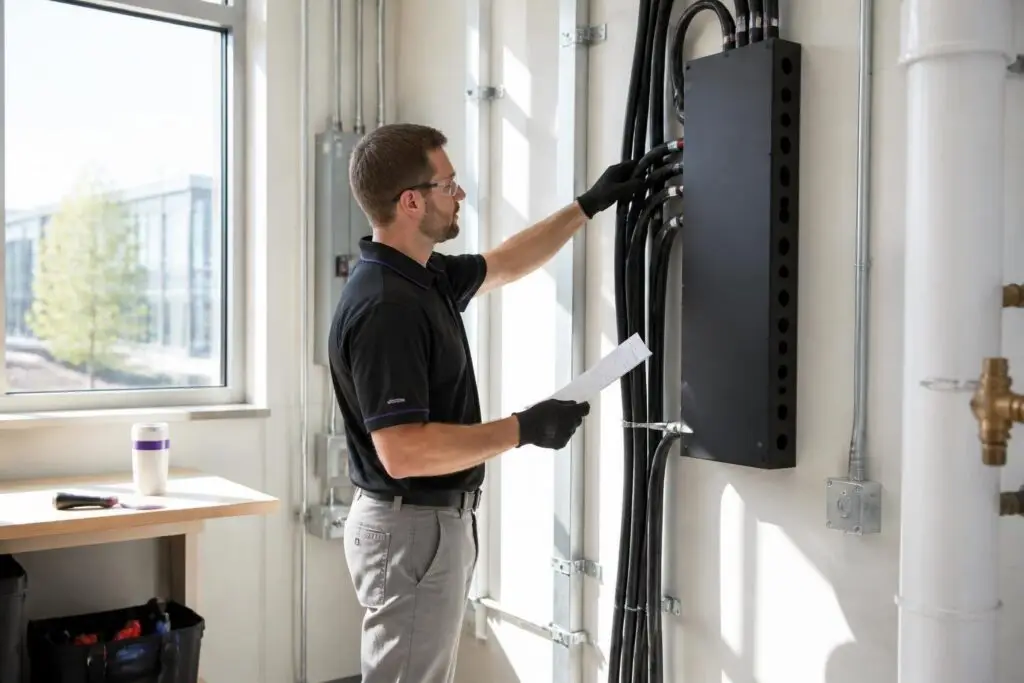
Reviewing contract terms, remote access policies, and support boundaries before committing to any provisioning arrangement protects your organization from operational disruptions that advertised specifications alone will never reveal.
What Should You Verify Before Committing to a Provisioning Model?
Switching provisioning models mid-contract typically involves hardware migration, potential data transfer costs, and a window of service continuity risk that no promotional discount can offset.
Confirm the following before committing:
- Whether the SLA covers the physical server itself or only network availability at the facility level
- The maximum contractual response time for hardware fault diagnosis and component replacement
- Whether out-of-band access is included or gated behind an add-on fee
- What mid-contract upgrade and downgrade policies apply, including any associated migration or data transfer costs
- What happens to your data and hardware access if the provider suspends your account or exits the market
- Whether the provider holds relevant compliance certifications and can supply audit-ready documentation for your specific framework
- Which party is responsible for OS patching, security hardening, and monitoring under the management tier you are purchasing
- Whether the provisioning timeline you have been quoted reflects current lead times, not a best-case estimate
Start with the SLA scope. Many agreements guarantee network availability at the facility level but exclude the physical server from uptime commitments entirely. That distinction matters: a 99.9% network SLA does not protect you if the server's hardware fails and the replacement timeline is unspecified. Verify whether the SLA covers hardware fault response, the maximum time to replace a failed component, and whether compensation applies to server-level outages or only to network interruptions.
The Dedicated Server SLA Terms — How to Evaluate Uptime Guarantees article breaks down which clauses protect you and which create exploitable gaps.
Next, confirm out-of-band management access before provisioning. The ability to reboot, reinstall an OS, or access a console without the server being online is essential for any unmanaged or colocation setup. Not every provider includes this at no additional cost, and discovering the gap after a failed OS update is a costly moment to learn it. Ask specifically whether IPMI or an equivalent is included, accessible over a secure connection, and documented in the service agreement.
Finally, review the hardware refresh terms. Rented servers age within a contract period, and providers differ on whether they guarantee a minimum hardware generation or allow older components to remain in service indefinitely. For colocation, the refresh obligation falls entirely on you — factor that into your total cost of ownership before committing.
Dedicated Server Provisioning Models: Key Decision Criteria
| Criterion | Instant | Custom | Colo |
|---|---|---|---|
| Time to Production | Minutes to a few hours; hardware pre-racked and tested. | Days to weeks depending on component availability and build queue. | Variable; depends on shipping and physical installation at facility. |
| Hardware Control | Limited to provider's pre-built inventory tiers. | Exact specification chosen by buyer before assembly begins. | Full control; buyer owns and configures hardware outright. |
| Capital Expenditure | No hardware purchase; provider owns all physical assets. | No hardware purchase; provider sources and owns components. | Buyer purchases hardware outright before deployment begins. |
| Management Responsibility | Provider handles hardware layer; buyer manages OS and above. | Provider handles hardware layer; buyer manages OS and above. | Provider responsibility ends at cabinet door; buyer handles rest. |
| Workload Fit | Standard web, gaming, dev environments with predictable resource needs. | Non-standard CPU-to-RAM ratios or specific component requirements. | Teams with existing hardware assets and in-house operational expertise. |
| Cost Structure | Modest premium for immediate availability; predictable monthly fee. | Potential per-unit savings at scale; procurement risk if lead times slip. | Lower monthly fee; power, cross-connects, maintenance can erode savings. |
Conclusion – Match the Model to Your Team, Not Your Wishlist
Choosing a provisioning model means accepting a specific set of daily responsibilities alongside the hardware itself. Instant deployment suits teams that need production capacity quickly and can work within pre-validated configurations. Custom builds suit teams with defined technical requirements, tolerance for lead time, and the internal capacity to manage a server built precisely to specification.
A server your team cannot confidently operate becomes a liability that grows more expensive with every passing month.
Colocation suits organisations that already own hardware and have the staffing to support it remotely and on-site.
The decision becomes defensible when you measure it against three axes simultaneously: how quickly your team must reach production, what cost structure your budget can sustain across a full contract term, and what in-house expertise you can reliably maintain. A server specification you cannot operate confidently is not an asset — it is a liability that compounds over time.